
The WordPress website can be highly optimized for SEO. Several plugins are available to enhance the SEO functionality of the WordPress website like the All in One SEO and other popular plugins. This article will discuss configuring All in One SEO for the Best SEO results.

Setup All in One SEO Pack
Installation and Setup All in One SEO
You can install the All in One SEO plugin free from the WordPress library. If you don’t know how to install a plugin, refer article, How to install a WordPress plugin.
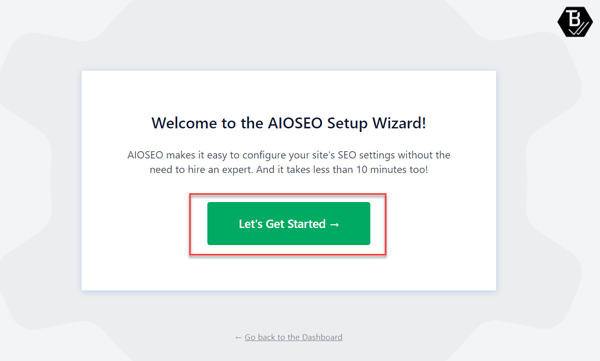
All-in-One SEO Setup Wizard
After installing and activating the plugin, you’ll see a similar setup screen for the All in One SEO plugin.
This screen is the setup wizard of the plugin, where we set up the application for various purposes. Click on the Let’s start button to be on the homepage settings section.
Home Page Setup All in One SEO Plugin.
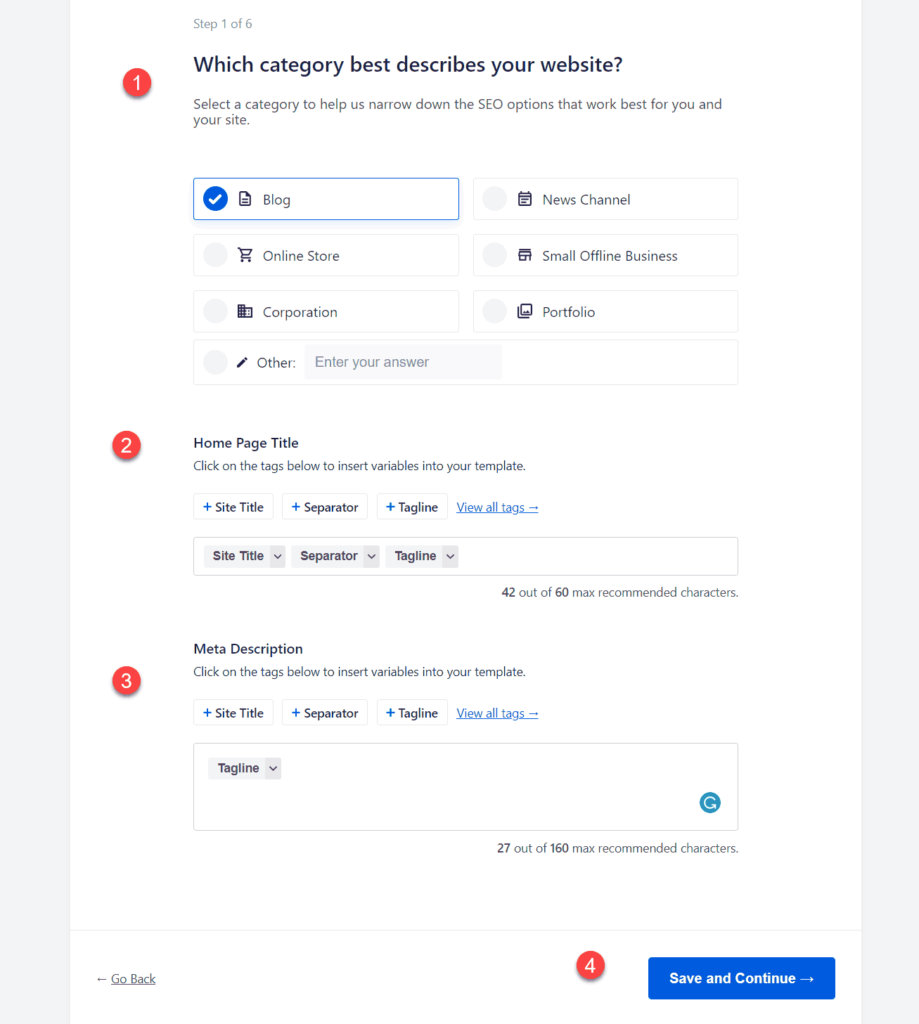
Home Page Setup All in One SEO Plugin.
This is the Homepage setup page, which will generate schema tags, titles, and descriptions for the homepage.
- Choose your website’s category; if it is for blogging, choose blog; if none of the listed fits, choose other and enter the name “website”.
- Leave it as it is.
- Enter the description of your website, i.e. what your website is all about.
Additional Site Information
In this section, you have to provide additional information about your website, like the type of website, logo, social media handle, etc.
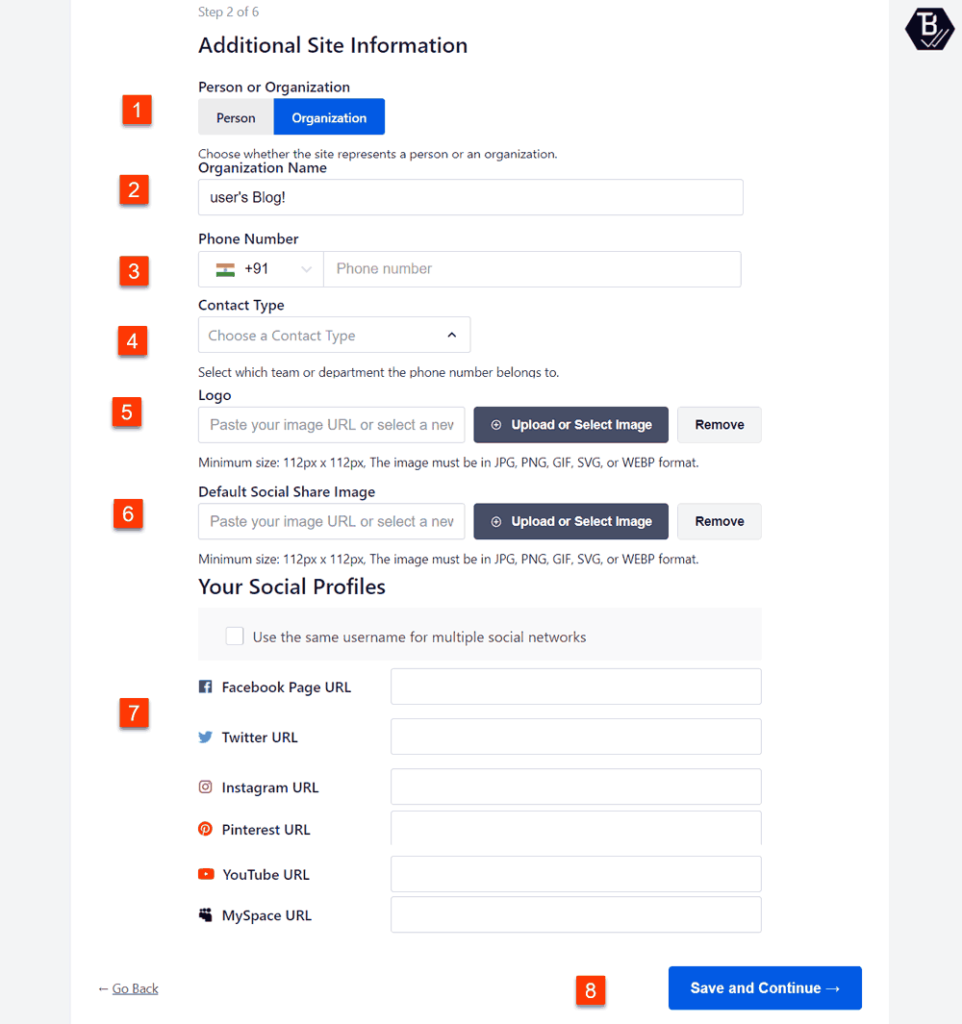
Additional Site Information
Here we’ve to provide details to generate proper meta tags.
- For a personal website, choose a person, otherwise Organization.
- Name of your website
- You can skip this, Enter the phone number; this is optional.
- You can skip this.
- Provide a path for the website logo
- Social Details
SEO feature that to be enabled.
This section allows you to optimize the technical SEO of the website, like sitemap, analytics, optimization codes, etc.
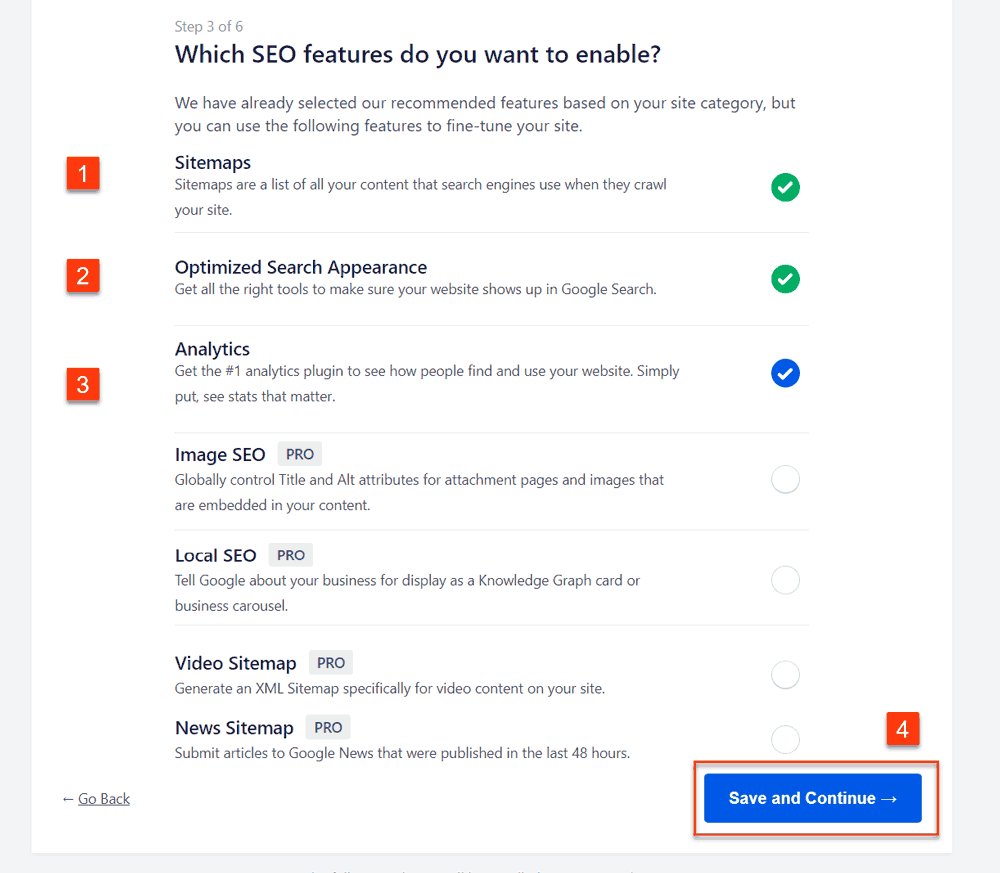
SEO feature that to be enabled.
You can select the features that you want to include in your website. These tools will boost the SEO of your webpage.
- Enable a sitemap option to create XML sitemap for the WordPress website.
- This will include SEO markup for the website.
- Allow you to set up Google Analytics for the website.
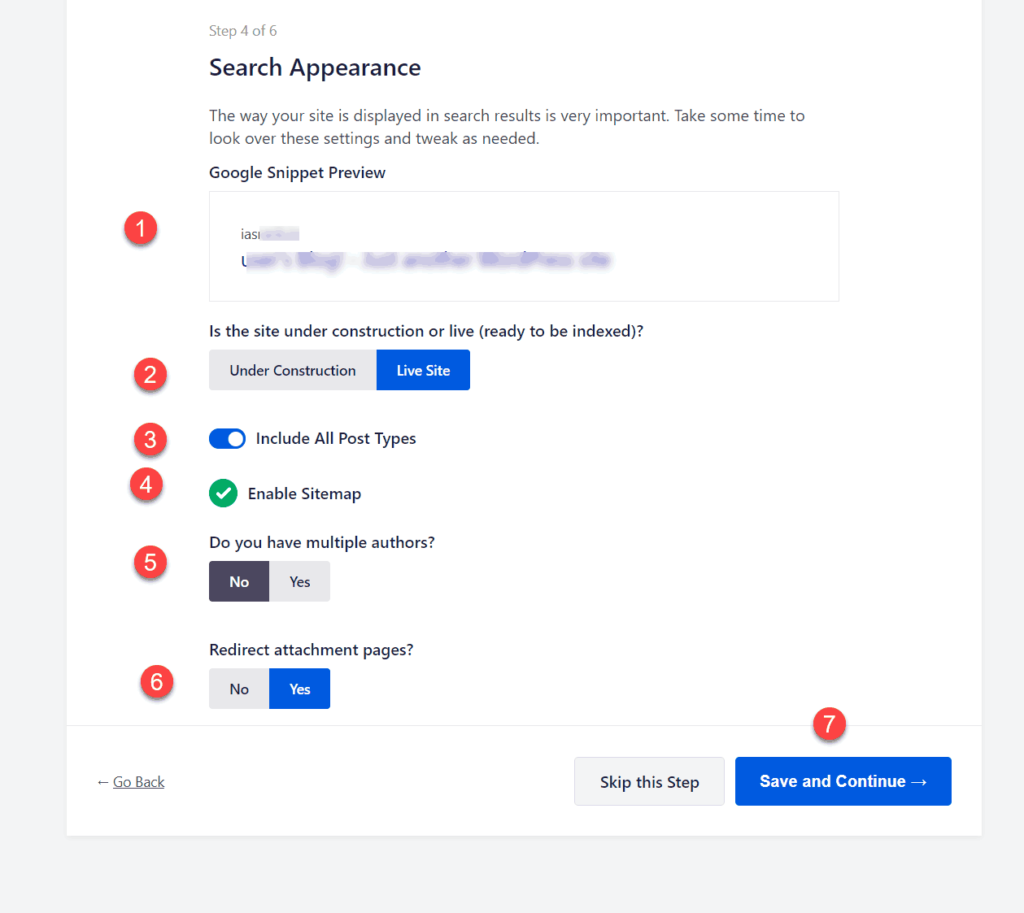
Setup All in One SEO – Search Appearance
Setup All in One SEO – Search Appearance
- This will tell you to define the appearance of your website in the search results.
- Choose a live site, if completed, else under construction.
- To include all the posts.
- The sitemap will be enabled.
- If you’re only the author, select no. If you’re a team, then select yes.
- Redirect the page attachment so that your page can be indexed.
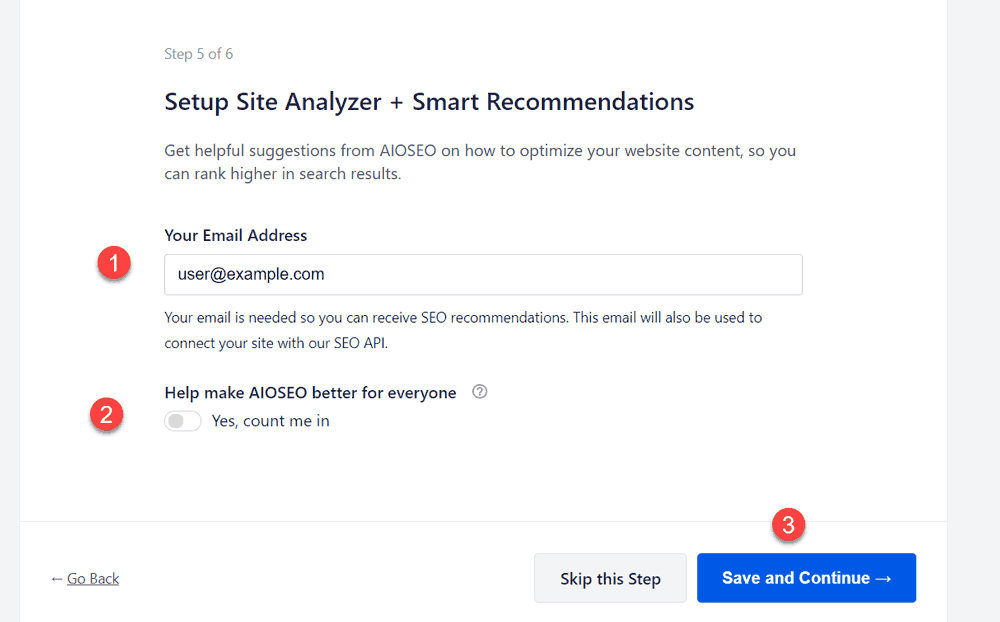
Setup Site Analyzer + Smart Recommendation
Setup Site Analyzer + Smart Recommendation
This will analyze your website and suggest recommendations for your website.
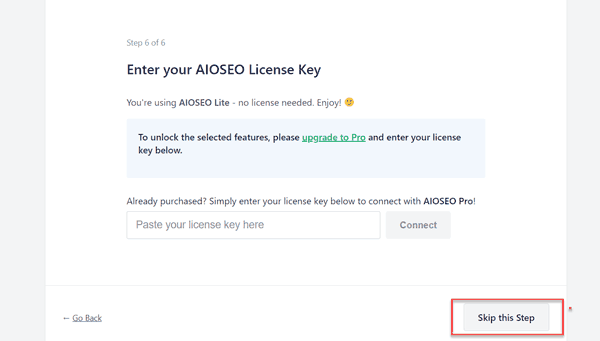
license key
If you purchased a license key, then enter, else skip this step.
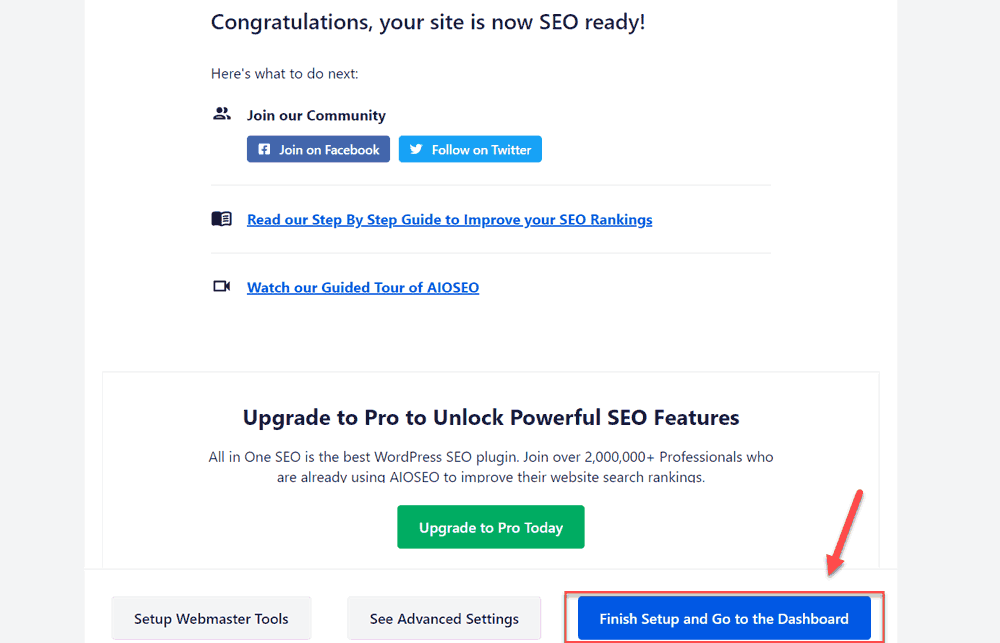
final setup page
Now the final setup page. Click on finish setup and go to the dashboard.
Advance Setup All in One SEO
In the above setup wizard, we selected what to index. Now here it is also important that what not to index.
We’ll make some advanced SEO changes in the All in One SEO plugin. First, we’re selecting categories and tags.
For Taxonomies.
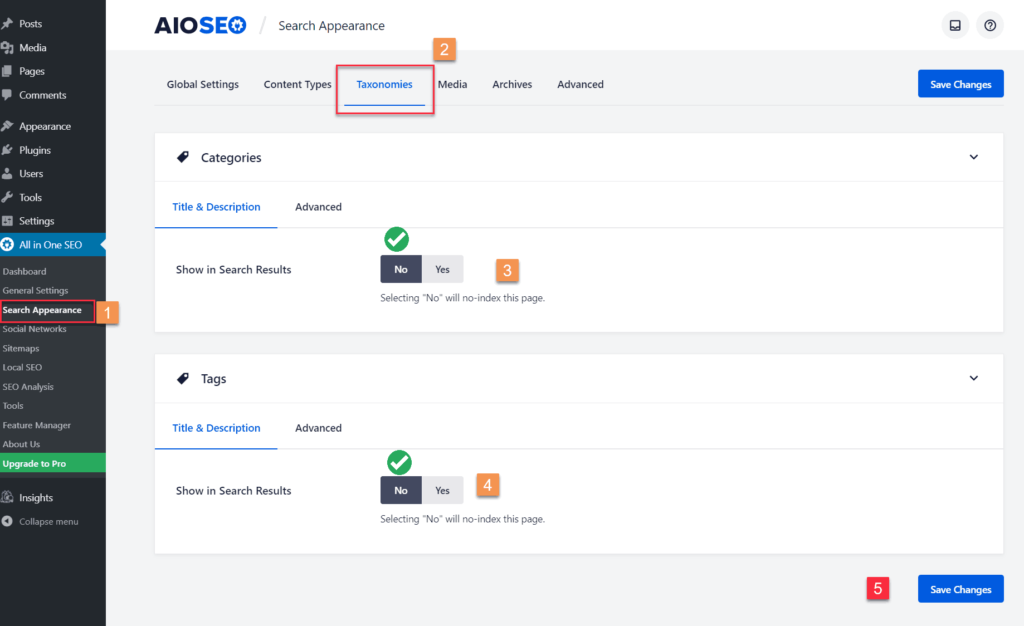
Taxonomies SEO Setup
Scroll to Search Appearance>Taxonomies. Now for category and tags, select not to show in search results.
- The category should not be visible in the search results.
- Tags should not be visible in the search results.
For Archive pages
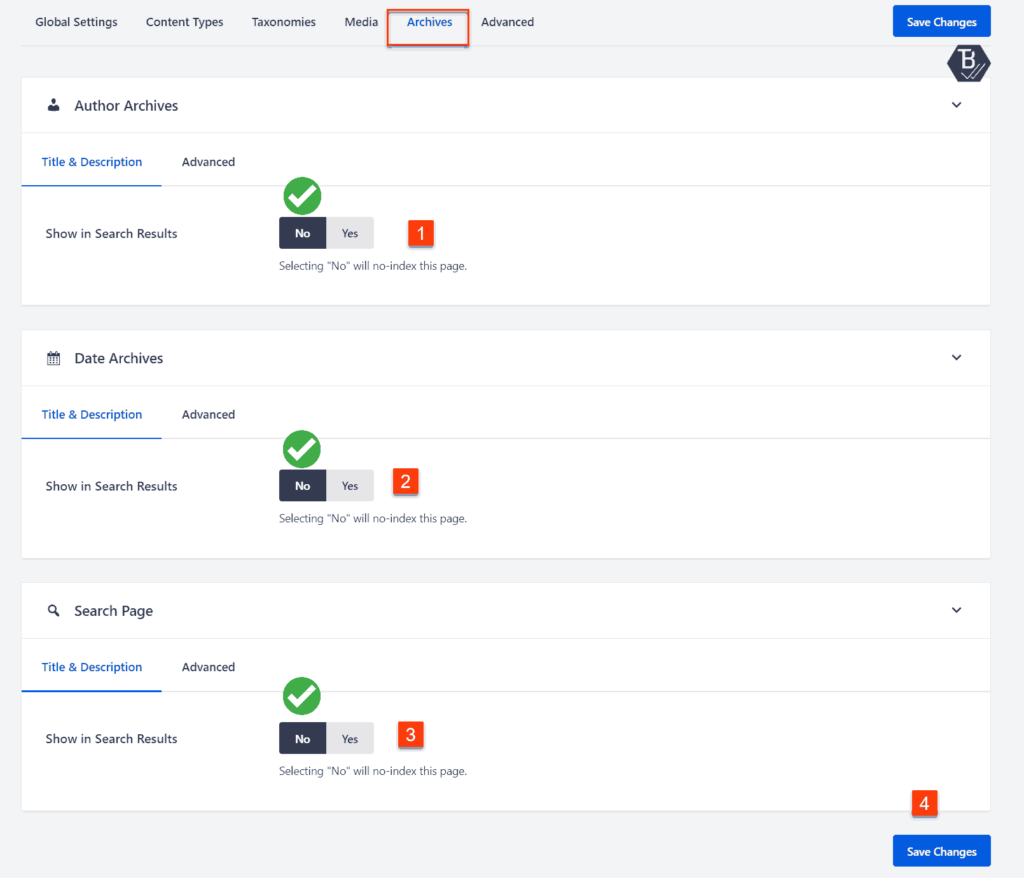
Archive SEO Settings
In archive settings in search appearance. Select the recommended
- Author Archive should not be visible in search results.
- Date Archive should not be visible in the search results.
- Search Pages should not be visible in the search results.
This was the setup of the All in One SEO plugin. If you’ve any question regarding this. Feel free to ask in the comment section provided below.
JOIN THE CONVERSATION
Comments
Have a question or something to add? Comments are moderated and appear here only after approval.
JavaScript is required to submit a comment. Published comments above remain available to read.
No approved comments yet. Be the first to join the conversation.