
01
Choose how you crawl.
Use HTML, rendered, or hybrid crawling to investigate the pages and JavaScript content your website serves.
SEO NEURONS SPIDER
Meet your desktop companion for technical SEO. Find the issues, inspect the evidence, and turn your next website crawl into a clear plan of action.
Windows beta · Assisted early access
Create and verify your account, then choose a free annual license during early access. Request the Windows installer by email. No subscription or automatic future charge is created.
INSIDE THE APP
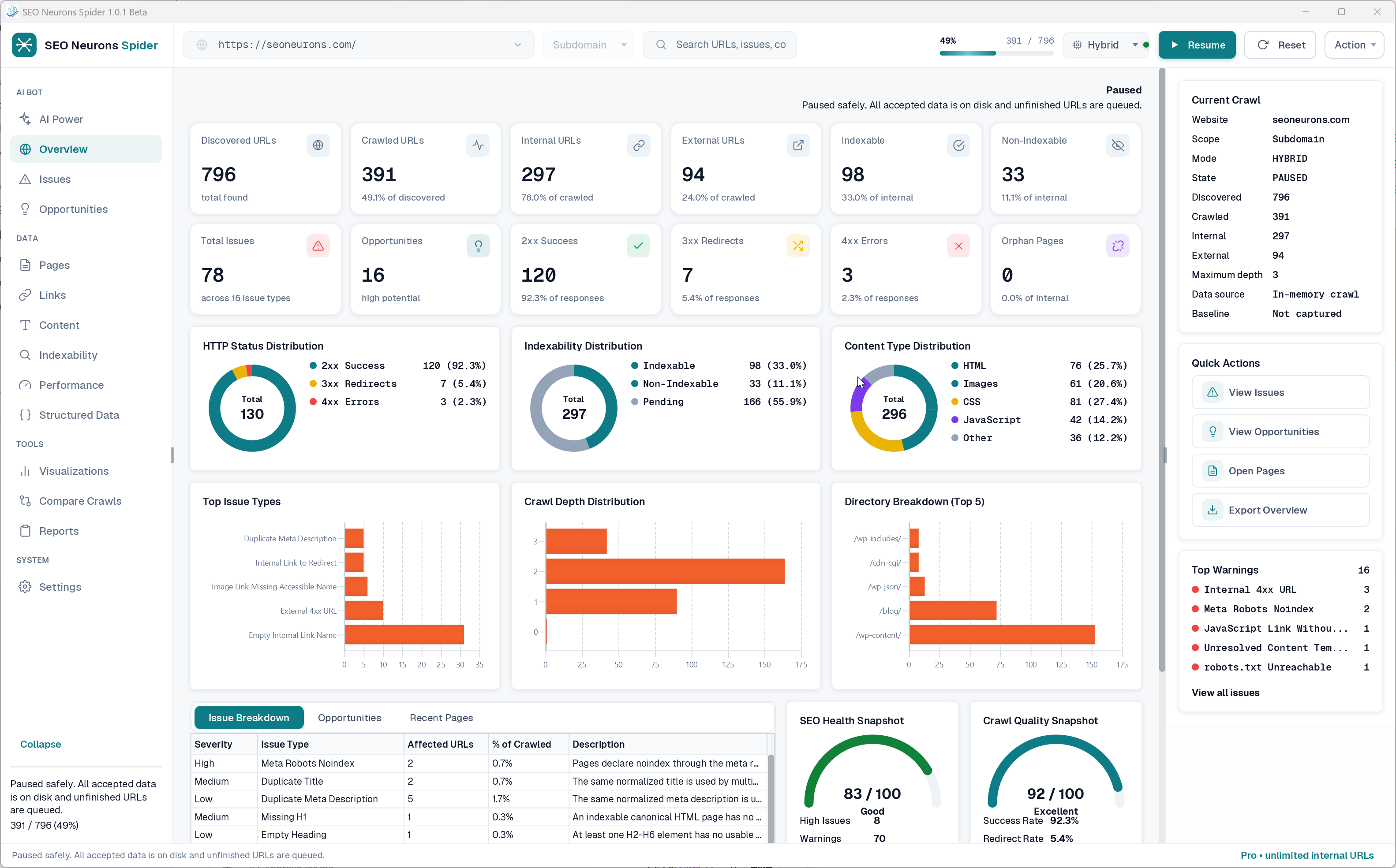
A connected view of your website, from the first URL to the markup on an individual page. Explore the real application below.
See discovered URLs, response codes, indexability, and issue types together. Use the overview to decide where your investigation starts.
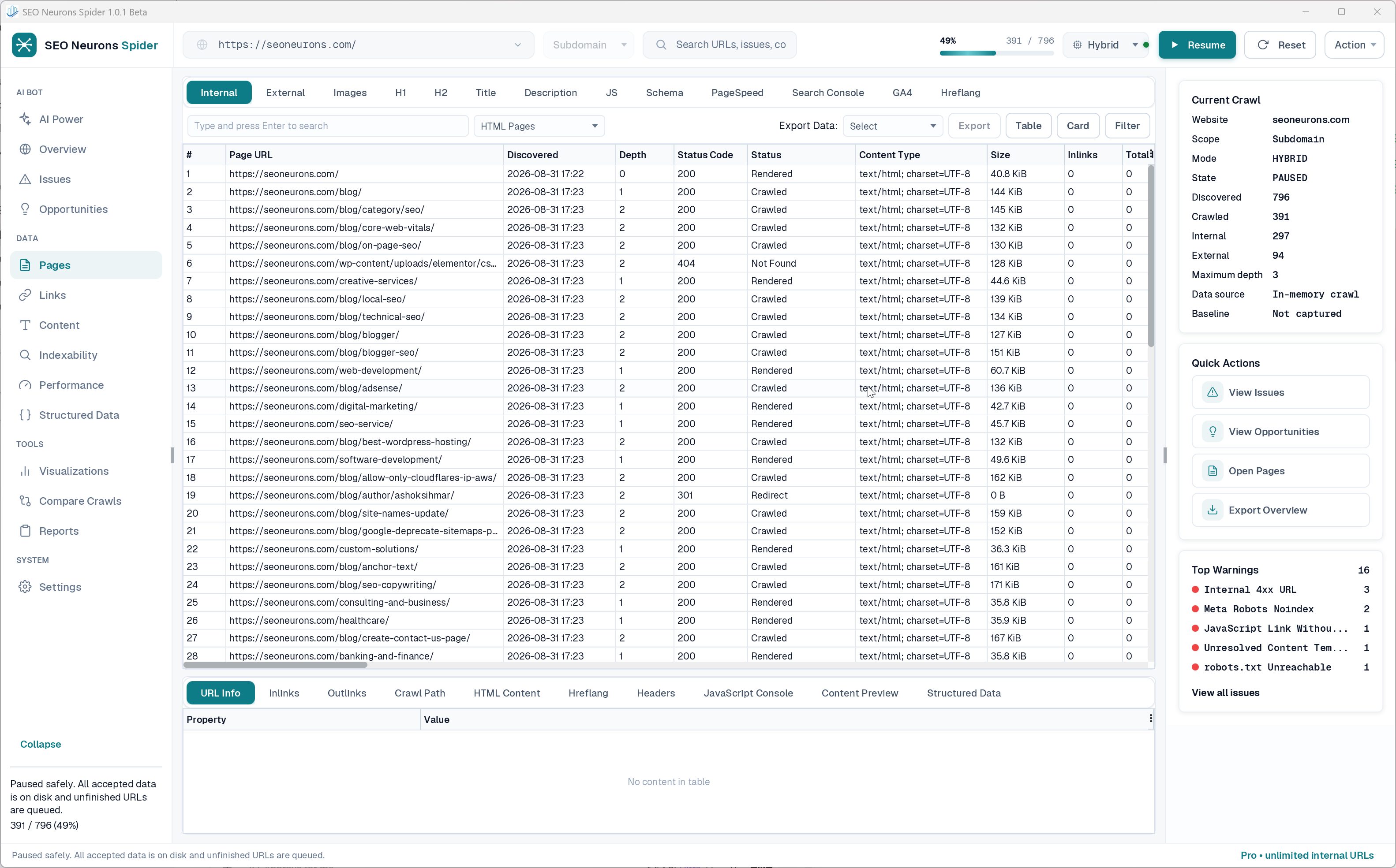
Enlarge screenshotReview status codes, crawl depth, content types, and internal links in a filterable workspace. Open a page to inspect the evidence behind it.
 Enlarge screenshot
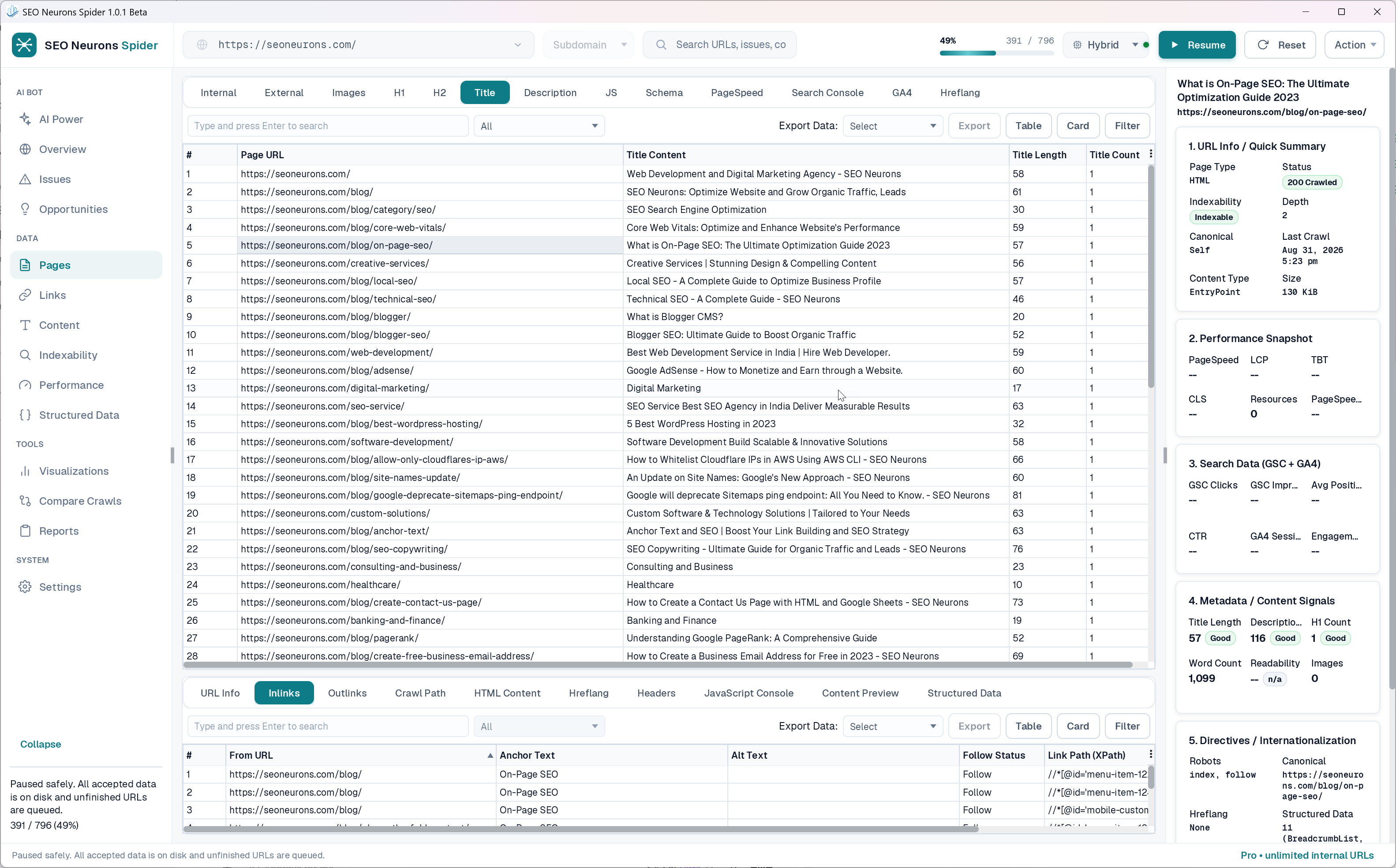
Review page titles, descriptions, and headings across the website. Move from a site-wide pattern to the content and links of an individual page.
 Enlarge screenshot
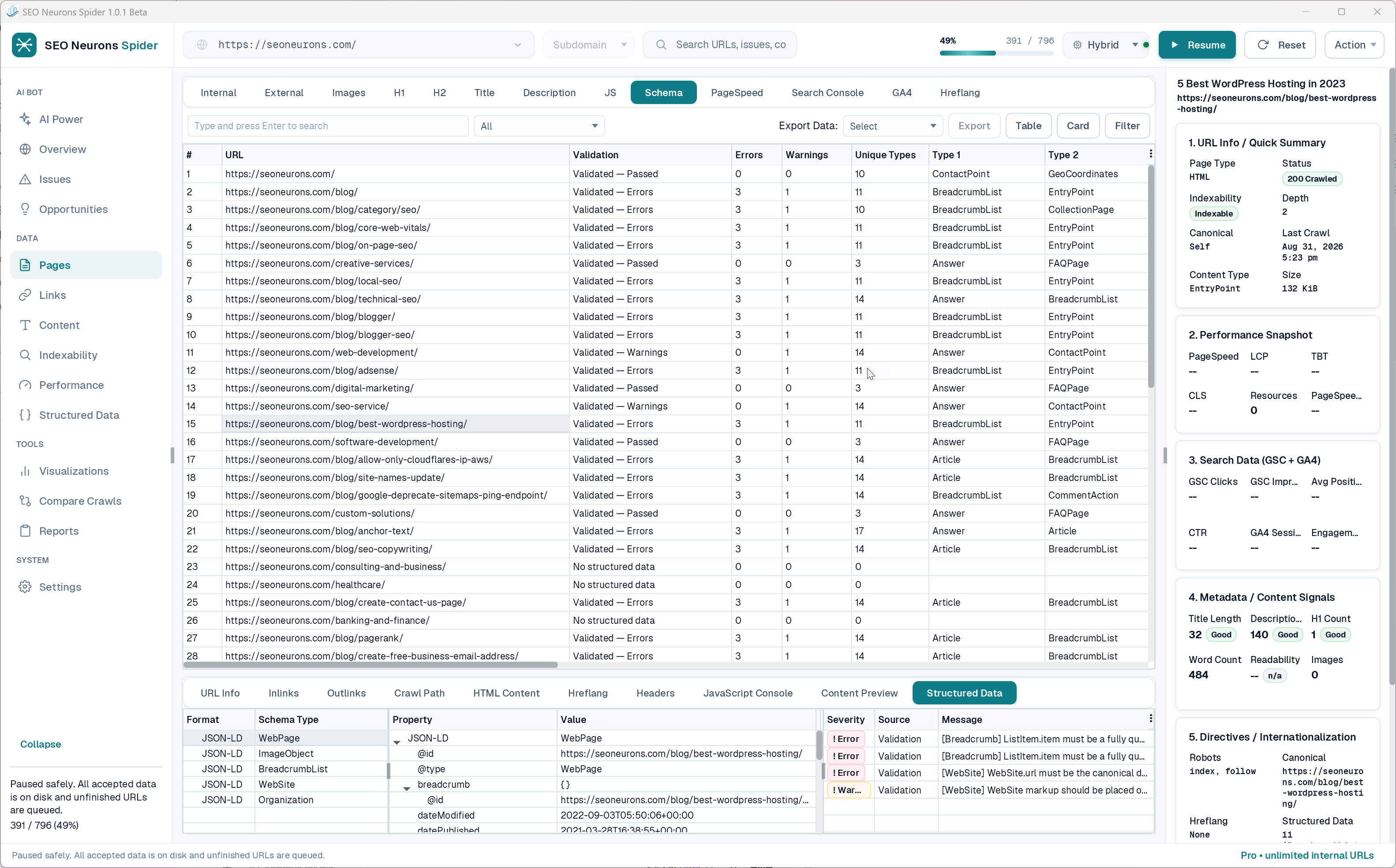
Inspect schema types, properties, and validation messages alongside each URL. Trace a warning back to the structured data that needs attention.
 Enlarge screenshot
BUILT FOR THE WORK
For technical SEOs, developers, and agencies who want to understand what is happening across a website—and what to investigate next.
Use HTML, rendered, or hybrid crawling to investigate the pages and JavaScript content your website serves.
Review response codes, redirects, canonicals, indexing directives, and internal links in the context of each URL.
Inspect titles, descriptions, headings, and images. Turn repeated patterns into a focused list of pages to review.
Explore structured data and validation messages, with schema properties beside the page they describe.
Connect Search Console, GA4, and PageSpeed using your own authorized accounts and API settings.
Save crawl projects on your computer, pause and resume your work, and export the data you need to share.
A PLAN FOR YOUR WORKFLOW
The same paid crawler features in both plans. Choose the number of computers that fits the way you work.
Your selected annual license is currently issued without payment after email verification. No subscription or automatic future charge is created.
A focused workspace for your own technical SEO projects.
Create and verify your account, then select Pro. Email support for the Windows installer.
More activated computers for a connected agency workflow.
Create and verify your account, then select Agency. Email support for the Windows installer.
Already have an account? Manage your SEO Spider license
FROM ACCOUNT TO FIRST CRAWL
Your account brings licenses and activated devices together. Your desktop app is where the crawl happens.
Internet access is needed for live crawls and license activation. Storage and memory needs vary with the size of your project.
Ask about installer accessRegister with your email address, then follow the verification email to confirm it.
Select Pro or Agency in the account portal. Your license and device allowance appear in your dashboard.
Use your account identity and license key in the Windows app. Contact support for the current installer.
Choose your crawl scope and rendering settings, then explore the overview and individual page details.
SEO Neurons Spider is a Windows desktop crawler for technical SEO work. It helps you discover URLs, review page content and indexing signals, inspect structured data, and investigate issues in a local crawl project.
Create an account, verify your email, and choose Pro or Agency in the account portal. During early access, the selected annual license is issued without payment. No subscription or automatic future charge is created. The listed annual prices are the standard plan prices.
Both plans include the same paid crawler features and a one-year license term. Pro supports 2 activated computers; Agency supports 10. You can review your license and deactivate an old device from your account.
Crawl projects are stored locally. License activation uses the account service. Optional integrations, such as Google services or configured AI providers, exchange data with those providers when you use them; local project storage does not mean those integrations work offline.
The desktop application is for Windows. You need an internet connection to crawl websites, activate the application, and refresh your license. The required storage and memory depend on your crawl size and rendering settings. Contact support to confirm suitability for your machine and access to the current installer.
An activated installation can use its signed license lease for up to seven days offline. Reconnect to refresh the lease. Crawling live websites and using online integrations still require an internet connection.
SEE WHAT YOUR NEXT CRAWL REVEALS
Start with an early-access account and a free annual license after email verification. The Windows beta installer is provided through support email.
Create early-access account Request Windows installer accessEarly access · No payment required