
WordPress websites are usually facing a problem of spam comments. These comments are fake, abusive, and misleading. You can protect WordPress websites from spam comments by setting up Akismet Plugin. This plugin is one of the best plugins available that protects WordPress from spam comments and spam contacts us form. We’ll install and set up the Akismet antispam plugin in this tutorial article.
What is Akismet Plugin?
Akismet is a spam filter for the WordPress website, a product of Automattic. The Automattic is a company of WordPress. This tool is free for personal use. And for professional work, you need to buy a license.
You always need software to protect your WordPress website from attacks, spam comments. As you already know, WordPress is an Open Source program, and you’ve to look for its security.
Install and Set up Akismet Plugin
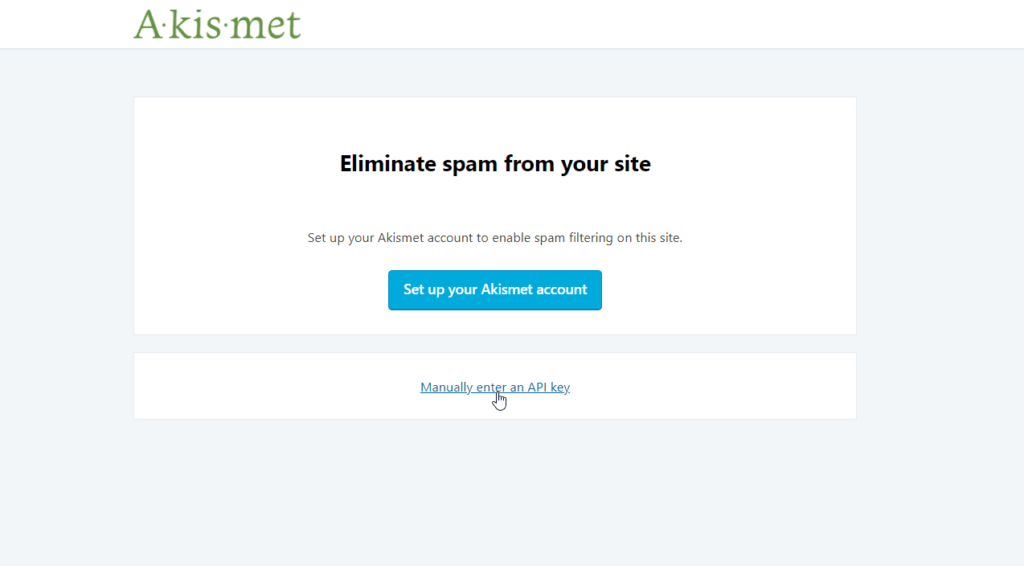
Install the Akismet plugin from the WordPress plugin library, learnhow to install a plugin. After activation of the plugin, you’ll redirect to the Akismet setup page, as displayed below.
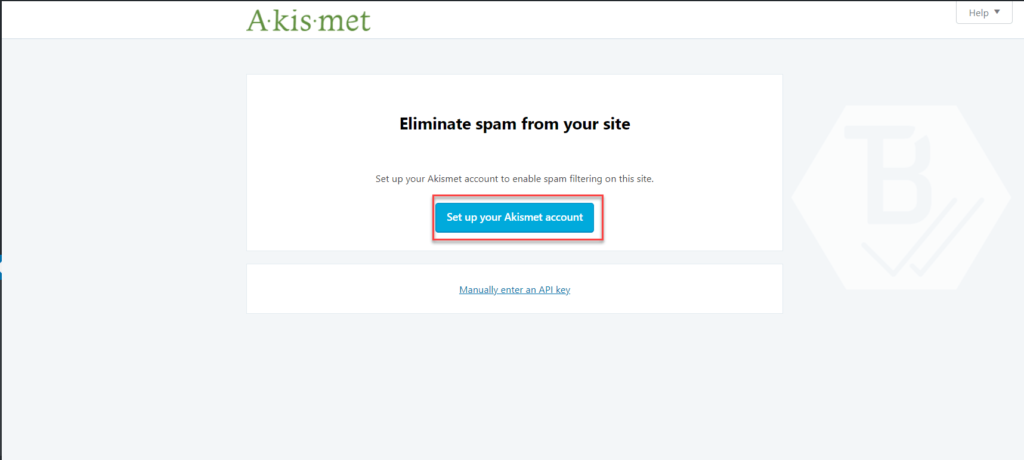
Set up Akismet Plugin
Click on set up your account to configure the Akismet Plugin for your WordPress website.
Now you’ve to choose a plan as per your needs. You can choose personal or commercial plans. If your website has heavy traffic, go with a plus or enterprise plan.
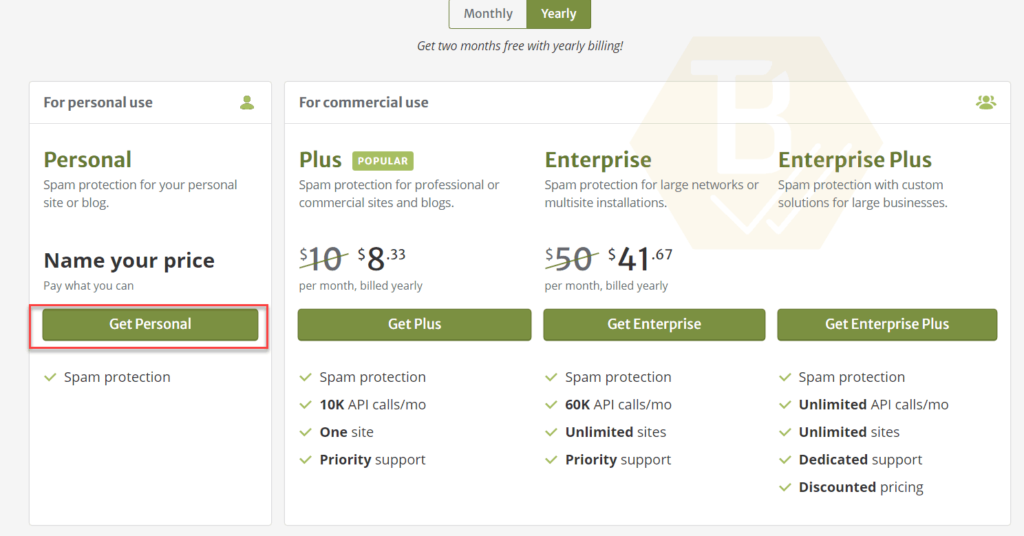
Akismet Plans
In our case, we’re choosing a free personal plan. Click on get personal spam protection.
Generate free API Key for Akismet
Now you’ll redirect to the personal details page. Here you’ve to provide your information and payment. You can scroll down this payment option to zero(0).
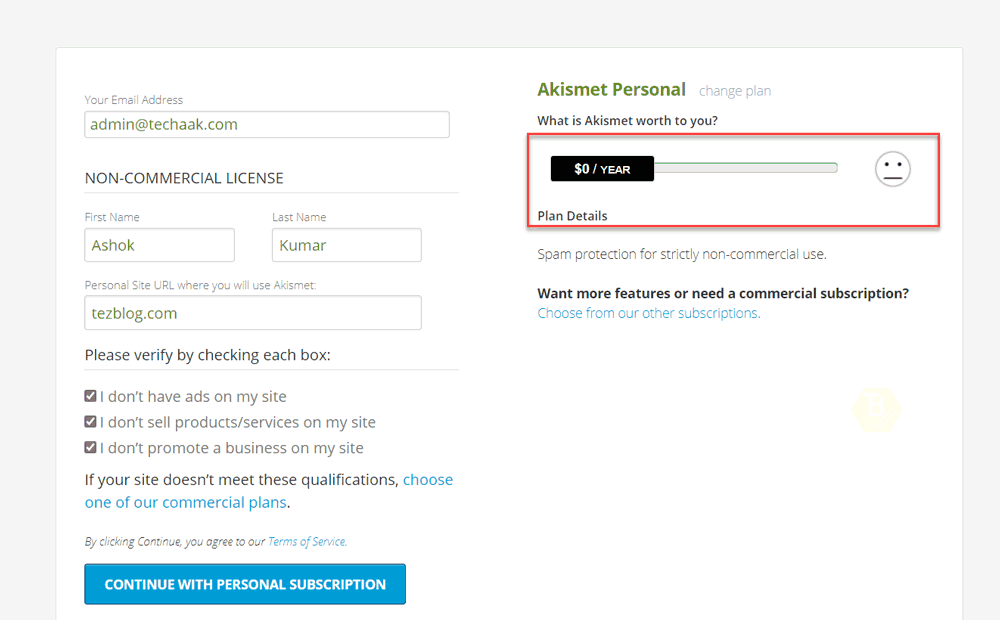
Enter your email address, name, website, etc. And now, you can continue to further steps to get the API key.
In the next window, you’ve to confirm your email address. You’ll receive an email with a unique six digits code. Provide that code to the Akismet Plugin.
After successfully verifying your email address, you’ll receive the Akismet API key. Copy this API key for the final setup process of the Akismet Plugin.
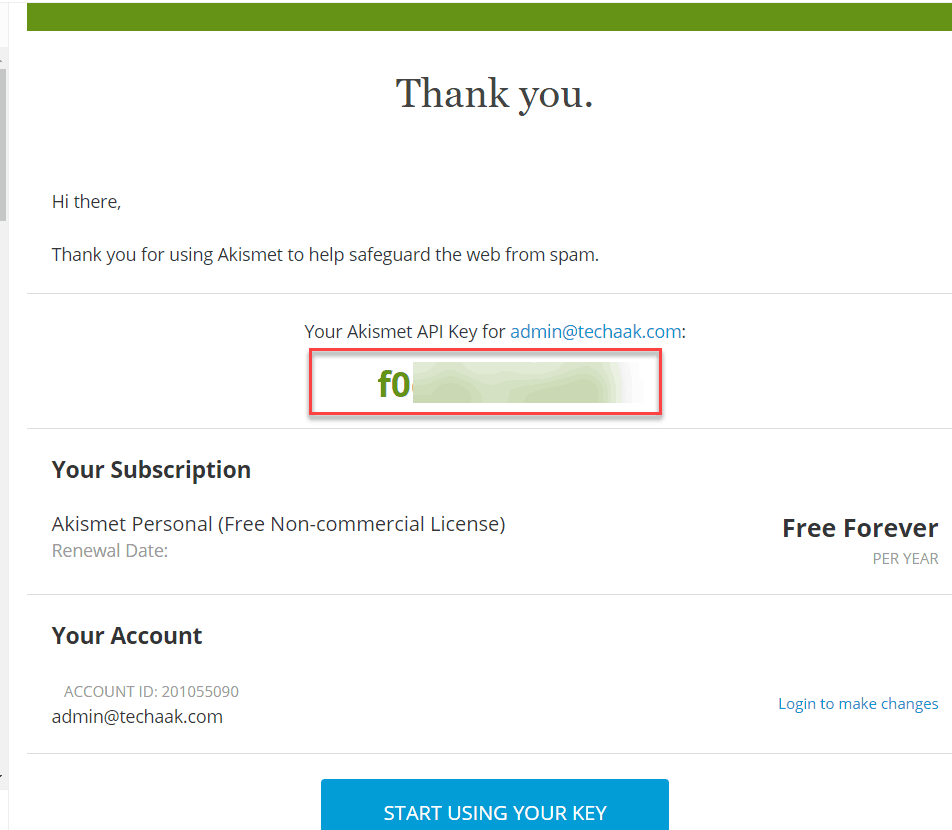
Generate API Key
Now visit your WordPress dashbaord>plugin>Akismet>settings.
You’ll redirect to the following page to enter the API key. Click on “Manually enter an API key”.
API key submit
After entering the API key, click on connect with the API key. Now the Akismet will protect WordPress from spam.
The setup of the Akismet Plugin is completed successfully. Your WordPress application is now protected from spam comments.
How Akismet Works?
Akismet is a spam filter service. This filter contains information about spambots. And also capture new information from registered websites. The Akismet uses all its data to filter out spam from comments, trackbacks, and contact form messages.
Final Words
This tutorial explained, what is Akismet, how it works, and how to set up the anti-spam plugin for the WordPress website.
If you’ve any questions regarding the setup of the Akismet Plugin, feel free to ask in the comment section provided below.
JOIN THE CONVERSATION
Comments
Have a question or something to add? Comments are moderated and appear here only after approval.
JavaScript is required to submit a comment. Published comments above remain available to read.
No approved comments yet. Be the first to join the conversation.