
You can now reserve a dedicated static IP for your WordPress installation in the GCP Google Cloud Platform.
Reserve A Static External IP Address in the Google Cloud Platform.

Reserve Static IP GCP
What is an IP
It is the address on which your website is installed. This IP address is in digits, and that would be tough to remember. To easily remember, we dedicate Domain Name to these IP addresses. When we enter these DNS, e.g., seoneurons.com, it calls to the IP attached with it. And you’re here on this page.
Static IP and Dynamic IP
Static IP means the IP that doesn’t change automatically and is dedicated to a particular address. And dynamic IP changes will change if you restart the instance or with time without your concern. By default, your instance has a dynamic IP, so you’ve to reserve a static one.
Reserve Static IP Address for your machine.
You can reserve it using two methods. We’ll discuss both.
Method. 1: Reserve Existing IP Address for Your WordPress/ other Applications
For this, you’ve to visit VPC Network >External IP Address
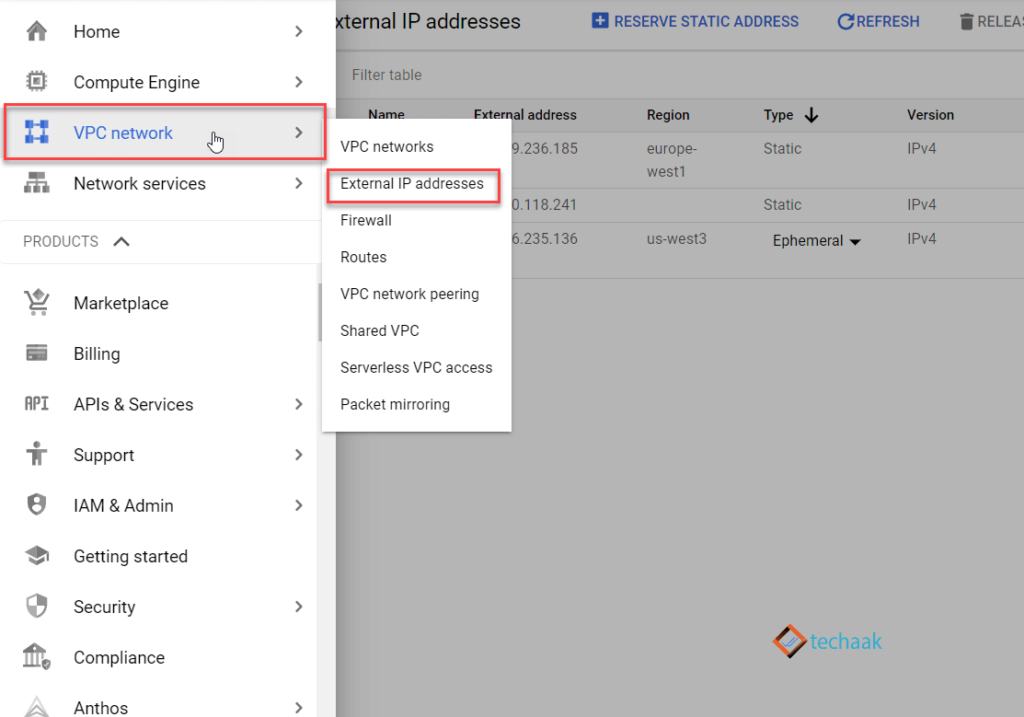
Google Cloud Platform Reserve Static IP Address
Now you can click on Ephemeral and choose static, then reserve the IP. Enter the name for a reserved IP (only to remark).
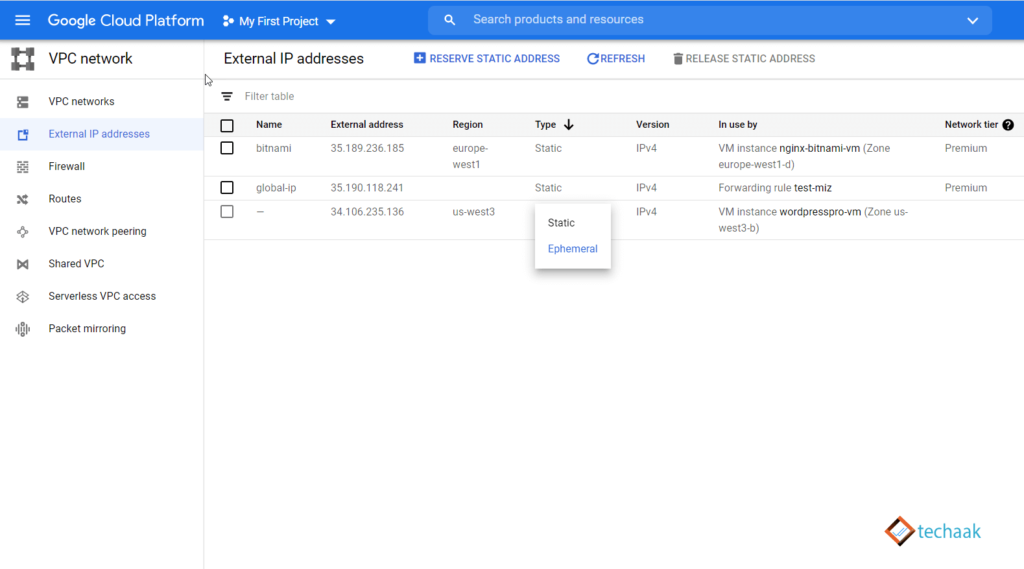
External IP Address Setup
Method. 2: Reserve Existing IP Address for Your WordPress/ other Applications
In this, you’ve to visit VPC Network >External IP Address, the same page as above.
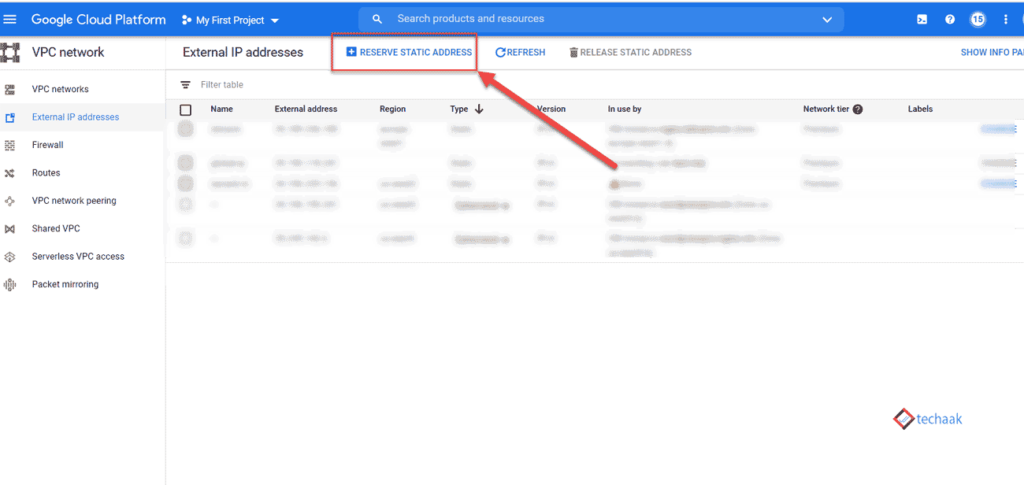
Reserve New IP Address
Now click on reserve a static Address.
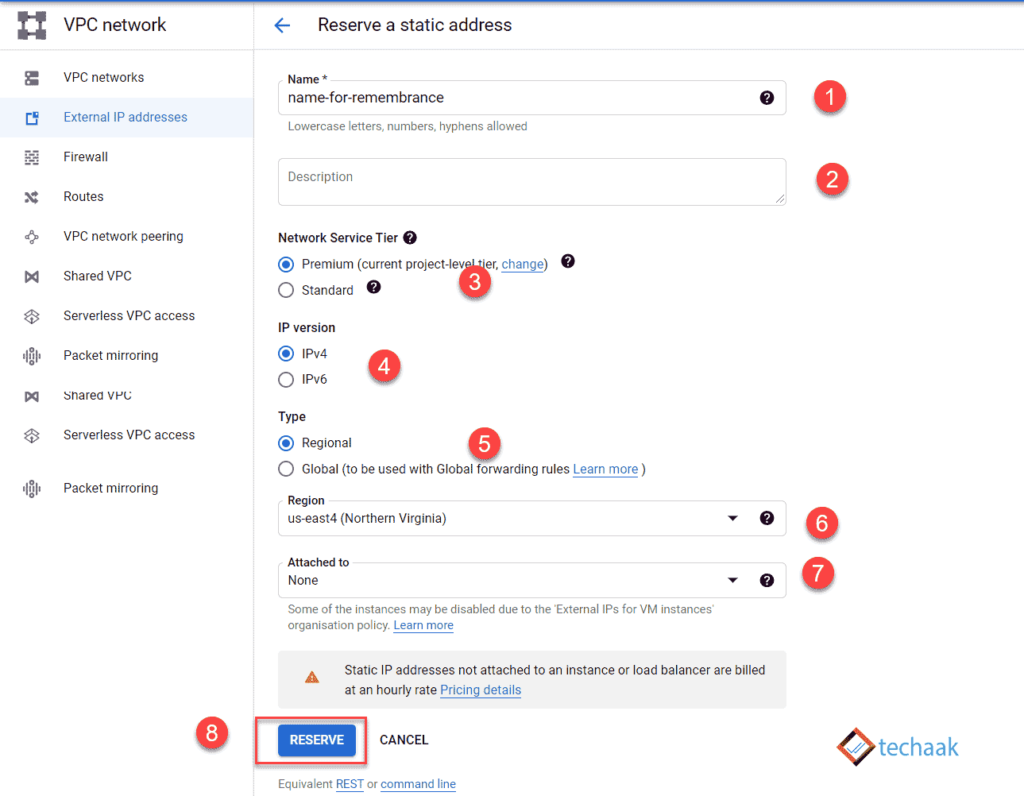
Reserve New Static IP Address WordPress Instance
- Enter the name for your IP address
- Provide description (optional).
- Type of Network Service
- Choose IP type, usually IPv4.
- Select the type of IP Address in Regional or Global
- The region where your host your WordPress application.
- Select Attached to; options will be available only after selecting the right region (point 6).
You reserved a static IP address on Google Cloud Platform. Now you’ll need to add a custom domain name for your WordPress website.
If you are on a trial period, you’ll be limited to 1 static IP for each zone, and a total of 5 static IPs can be reserved.
Tags
JOIN THE CONVERSATION
Comments
Have a question or something to add? Comments are moderated and appear here only after approval.
JavaScript is required to submit a comment. Published comments above remain available to read.
No approved comments yet. Be the first to join the conversation.