
THE SHORT VERSION
What you’ll take away.
- Crawled – currently not indexed records an outcome without identifying a specific cause.
- Compare Google's recorded crawl with a live test before changing the page.
- Check the content Google receives, the preferred URL, and the page's usefulness within your website.
- Make changes that address an observed problem, then verify them after Google recrawls.
- A successful test, sitemap submission, or indexing request cannot guarantee inclusion in Google Search.
“Crawled – currently not indexed” means Google has crawled a URL but has not included it in its search index. The page may be indexed later. The status alone does not explain why it was left out or identify a particular fix.
If the affected URL is an article, product, or service page you want people to find, begin by inspecting that individual page. Confirm what Search Console currently knows about it, check what Google can access, and assess whether the page provides something useful. Those checks help you decide whether to repair a technical problem, improve the content, consolidate overlapping pages, or monitor the URL without changing it.
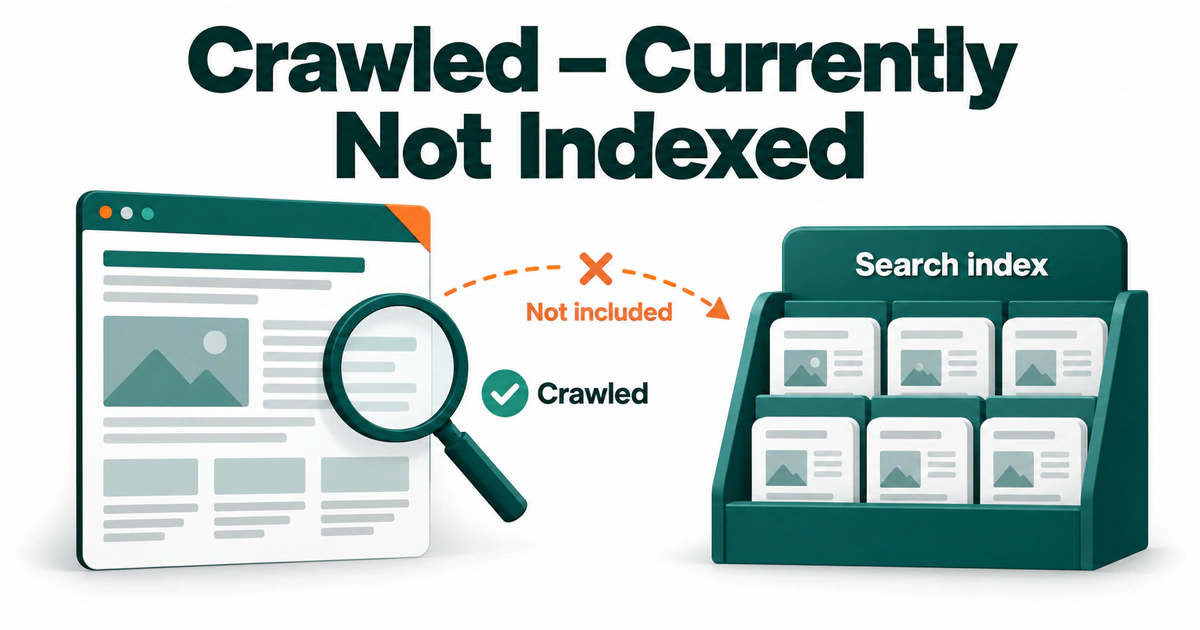
What does “Crawled – currently not indexed” mean?
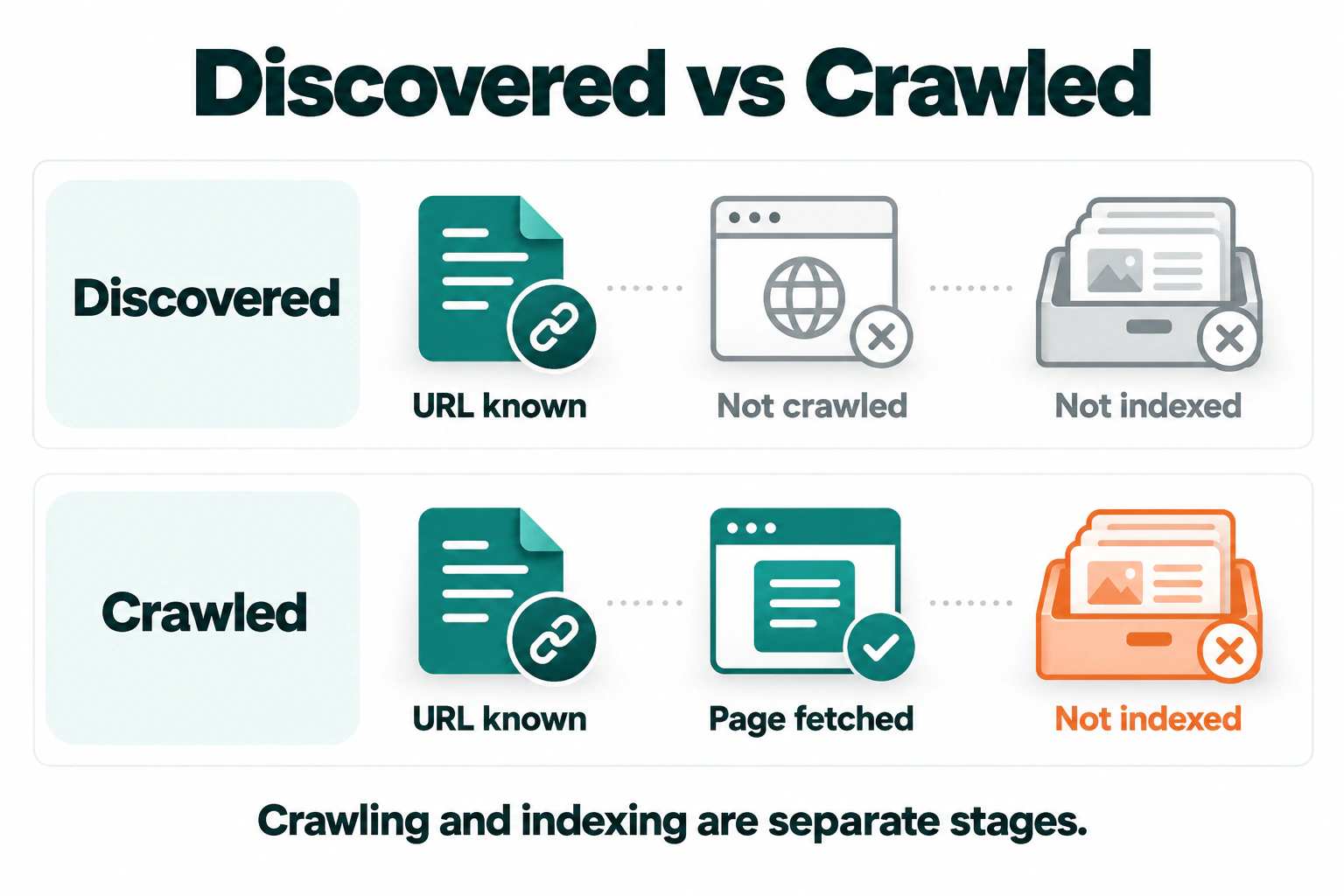
Crawling and indexing are separate stages. During crawling, Google requests a URL and receives a response. Indexing involves processing and evaluating the content for inclusion in its search index. A completed crawl does not guarantee that the page will be indexed.
Google’s Page indexing report documentation says a page in this group may or may not be indexed later, and that resubmitting the URL for crawling is unnecessary just because it has this status.
The message also gives you no basis for assuming that the page is too short, that JavaScript failed, or that the website has received a penalty. Each of those conclusions would need its own evidence.
Crawled versus discovered: which stage needs attention?
These two Search Console statuses describe different situations:
| Status | What it tells you | Where to begin |
|---|---|---|
| Crawled – currently not indexed | Google has crawled the URL but has not indexed it. | Check the individual URL’s recorded status, the content available to Google, and the page’s purpose. |
| Discovered – currently not indexed | Google knows the URL but has not crawled it yet. | Investigate crawl access, server availability, and how the page is connected to the website. |
1. Confirm the status of the exact URL
In Search Console, open the Page indexing report and choose an affected URL that matters to your website. Inspect that address with the URL Inspection tool.
Pay attention to the complete URL. An HTTP address, a different hostname, a trailing-slash variation, or a tracking parameter can lead you to inspect a different version from the one you intended.
Also identify what the URL represents. If an affected address ends in /feed/, for example, open it and confirm whether it is a feed rather than an article. The article it lists has its own URL and can have a different indexing status. Focus on the address you want people to find in search.
Record the indexing status and last crawl date. Where the information is available, also note the page fetch result, whether indexing was allowed, and the user-declared and Google-selected canonical URLs. A missing field is a limit in the available information; it does not establish a fault.
If URL Inspection shows the page as indexed while the broader report still lists it as unindexed, check the reports’ dates before making changes. They can update at different times. Use the individual URL’s inspection result to investigate its current recorded state.
An unsuccessful site: search is also insufficient to diagnose the cause. URL Inspection provides more useful evidence about the particular address.
2. Test what Google can access now
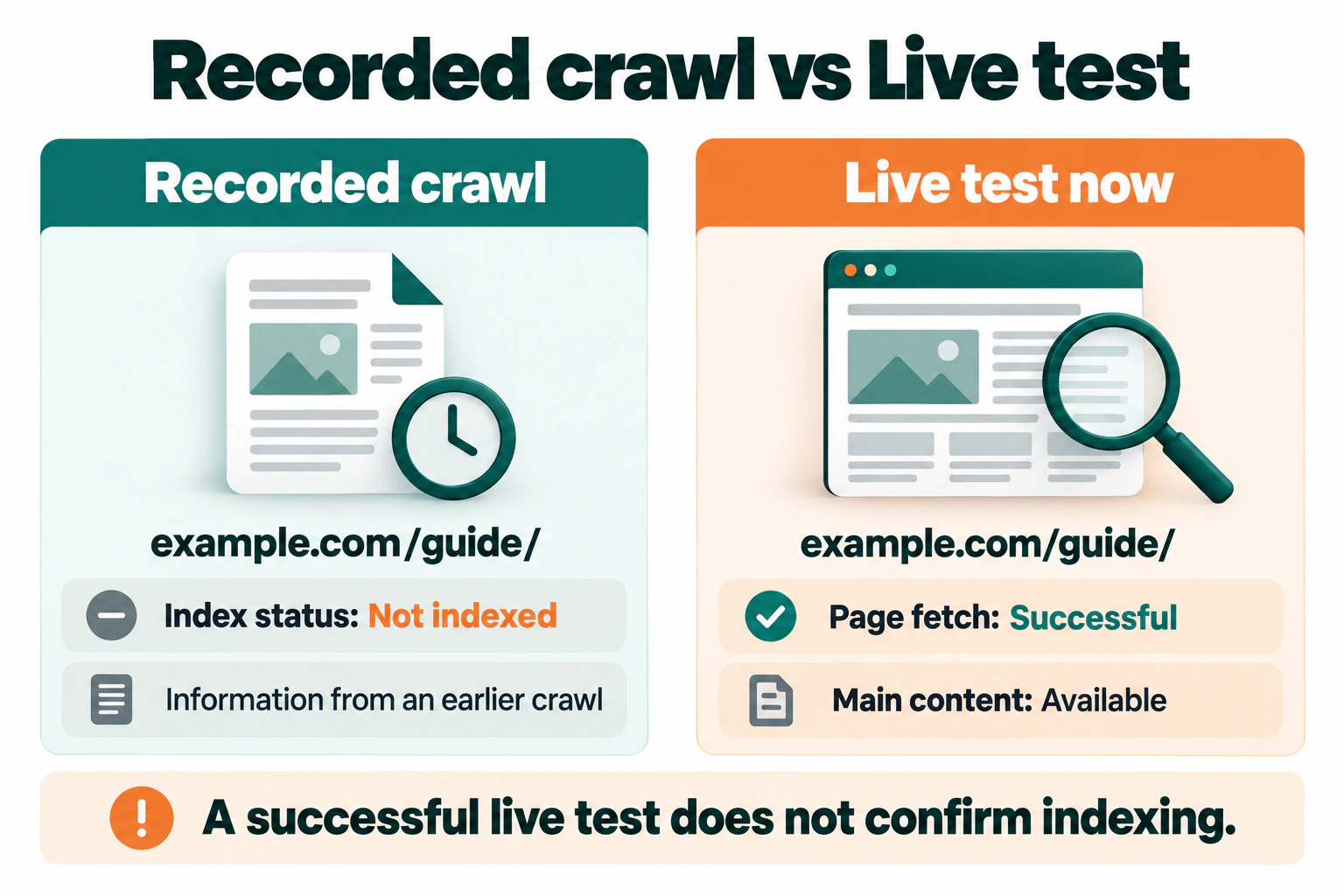
The initial inspection result describes Google’s recorded information about the URL. Test live URL checks the page as it is available now. Comparing the two helps when a deployment, plugin update, or server change happened after the last crawl.
A successful live test establishes that the page passes the checks included in that test. It does not confirm that Google has indexed it, predict which canonical Google will select, or assess every reason a page might be absent from search.
Check the response and indexing instructions
For an ordinary article or product page you want indexed, check that the URL returns its intended content with a successful response, normally 200 OK.
In your browser’s developer tools, open Network, reload the page, and select the main document request. Check its status and response headers. Then compare what loads with the result of the live inspection.
Look for these specific problems:
- The URL redirects elsewhere. Inspect the destination. After a permanent URL move, the destination is normally the page you want indexed. Keeping the old address indexed separately may no longer serve a purpose.
- The server returns an error or blocks access. A current
403,429, or5xxresponse needs an access or availability investigation, even if an earlier crawl succeeded. - The response contains the wrong page. A login screen, empty template, or error message delivered with
200 OKdoes not provide the content you expected Google to evaluate. - An indexing directive excludes the page. Check the HTML for robots or Googlebot meta tags containing
noindex, and check response headers for anX-Robots-Tagwith that instruction.
If you find an unintended noindex, correct the setting that generates it. That could be a page setting, shared template, SEO plugin, or server header. Adding index in another place does not cancel an existing noindex instruction.
Also check crawl access. A robots.txt rule controls whether Google can crawl a URL; it does not give Google an indexing instruction. Google needs access to a page to see its noindex directive.
These checks can reveal a problem introduced since the recorded crawl. Finding one does not prove it caused the original status, so keep the dates with your observations.
Check whether another URL represents the content
A page can remain accessible while a different URL is preferred for search. Canonical tags communicate that preference when pages contain duplicate or very similar content.
Inspect the page’s canonical declaration. If URL Inspection reports a Google-selected canonical, compare it with your declared preference and open both pages. Google’s selection appears in the recorded inspection data; the live test cannot predict it.
Ask whether the other URL contains substantially the same main content. A tracking-parameter version and its clean URL may correctly share one representative page. Two articles answering different questions need a different assessment.
If a template mistakenly points every article to the homepage, correct that template. If the alternate version is intentional and the preferred page is indexed, there may be nothing to repair. Where Google reports a specific duplicate or canonical status, use that information to guide the investigation.
Avoid changing every canonical to point to itself just to clear an indexing report. First establish which pages should exist independently and which represent the same content.
Check the main content in Google’s tested output
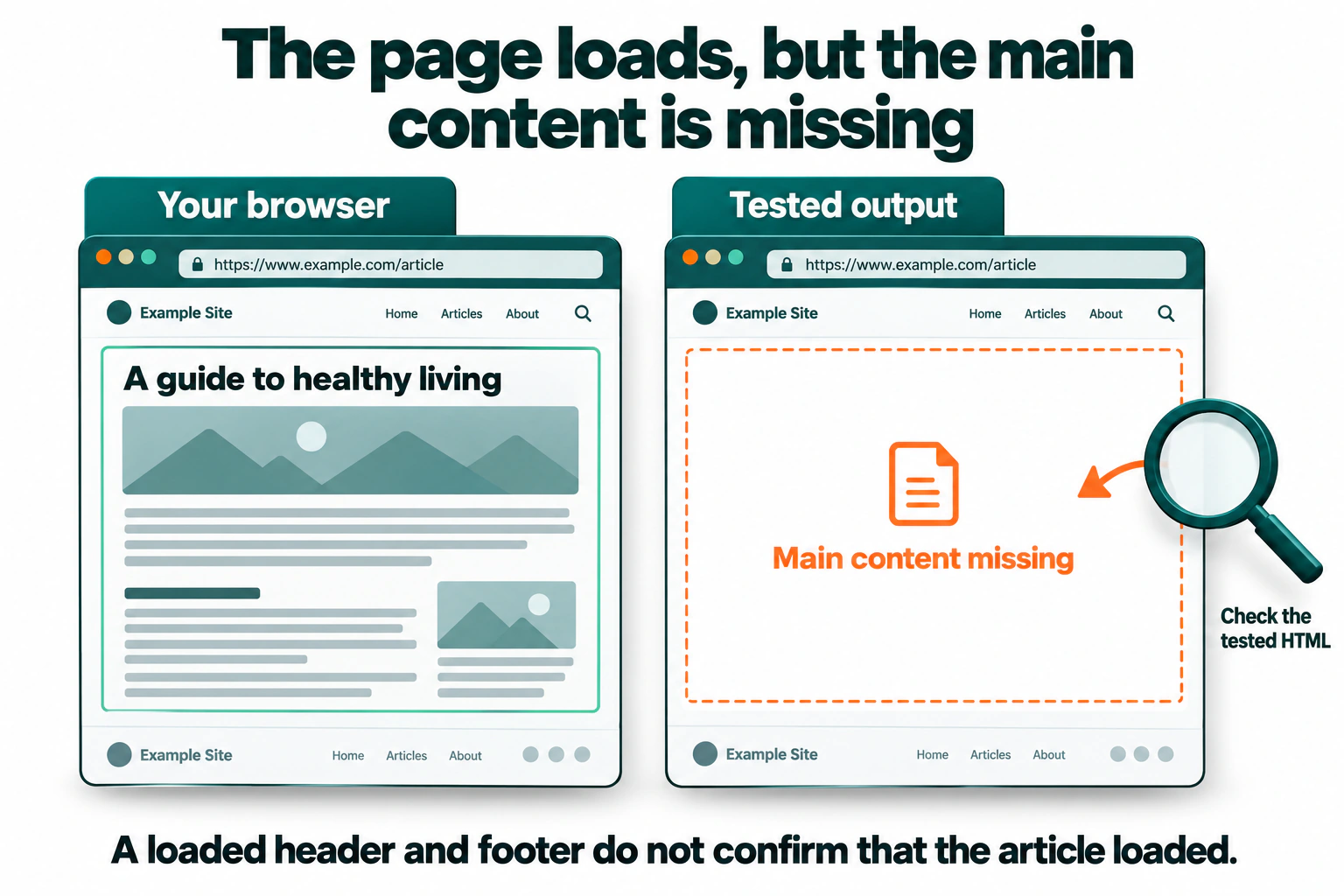
A page that looks complete in your browser can still produce incomplete content during an inspection. In the live test, open View tested page where available and examine the HTML, screenshot, and resource information.
Search the tested HTML for a distinctive sentence from the article or the product details you expect. Finding the navigation and footer only confirms that the surrounding template loaded. Check that the main answer is present too.
Use the screenshot alongside the HTML. A screenshot may show only part of a long page, so content below its visible area needs a document check rather than an assumption that it is missing.
With JavaScript-generated content, compare the initial server response with the rendered document. Investigate essential scripts or data requests that fail, and content that loads only after a click or scroll action. Google’s rendering should not depend on a visitor performing those actions to obtain the main answer.
When the main content is available and relevant resources load, continue with the page’s purpose and its relationship to other content.
3. Assess what the page contributes
Passing technical checks makes a page available for consideration. It does not establish that Google will choose to index it.
Review the affected page alongside the closest alternatives on your own website. Start with the promise in its title and main heading: does the content fulfil that promise, and does it serve a clear purpose that another page does not already cover?
For example, suppose you have two articles about installing WordPress. One covers a local development environment and the other covers a live server. They can serve different needs even when some introductory material overlaps. The useful question is whether each article explains its particular environment, requirements, steps, and checks.
If both pages instead repeat the same generic instructions with slightly different titles, consider whether one complete guide would help readers more. Consolidation should follow that assessment, rather than the indexing status by itself.
Look for opportunities to make the answer more useful:
- Explain the step where a reader is likely to get stuck, including how to confirm it worked.
- Add a relevant example, tested procedure, comparison, or observation that supports the answer.
- Correct outdated instructions and remove sections that distract from the page’s purpose.
- Replace repeated template text with the specific information someone needs on this page.
There is no word count that guarantees indexing. Adding paragraphs, changing the publication date, or appending generic FAQs does not resolve a missing answer. A short page can fulfil a specific need; a long page can still repeat what is already available.
4. Review internal links and sitemap consistency
Google has already found and crawled the URL, but it is still useful to check how the page fits into your website.
Relevant internal links give readers and crawlers routes between related pages. Check whether the affected page is linked from an appropriate category, parent page, or article where its information helps someone continue their task.
For example, a guide to diagnosing missing WordPress content can fit naturally in an installation guide’s troubleshooting section. Placing its link on unrelated articles would add little value.
Use ordinary links with working destinations and descriptive anchor text. Point them to the preferred URL, and correct links that still lead through an old address. There is no useful fixed quota of links to add to every unindexed page.
An XML sitemap helps Google discover the URLs you want considered for indexing. Check that it lists the intended canonical address and agrees with your current page settings. Remove obsolete redirects and URLs you deliberately exclude from indexing.
A sitemap entry cannot override noindex or guarantee inclusion. For a URL that has already been crawled, resubmitting the sitemap is not a substitute for investigating the page.
5. Choose an action supported by the evidence
At this point, you should be able to describe an observation more precisely than “the page is not indexed.” Use that observation to choose the next action.
| What you found | Appropriate next action |
|---|---|
The current page blocks access or sends an unintended noindex. |
Correct the responsible rule or setting and retest the public URL. |
| Google’s tested output is missing the main content. | Investigate the template, required resources, and content-loading process. Verify the answer appears after the fix. |
| Canonical declarations, links, and sitemap entries disagree about the intended URL. | Establish the correct relationship between the pages, then align those signals. |
| Two pages serve the same purpose with substantially overlapping content. | Decide whether to improve their separate purposes or consolidate them into one useful destination. |
| The URL is an intentional alternate and the preferred page is indexed. | Keep the intended arrangement and monitor the preferred page. |
| The page is accessible, useful, and consistent, with no clear problem found. | Record the checks and monitor it. Avoid speculative changes made only to move the report count. |
Consider a hypothetical article whose heading and menus appear in the live test, but whose instructions are absent from the tested HTML. You reproduce a failed request that should load those instructions. That gives you a specific issue to correct and a clear way to verify the repair: the instructions must become available in the tested output.
Verify changes after Google recrawls
Once a correction is public, repeat the checks that exposed the problem. If you changed a shared template, check another affected page as well. Confirm the result on the public website rather than relying only on an editor preview.
Keep a short record of the URL, the problem you observed, the change date, and the verification result. The last crawl date matters when you return to Search Console: if it predates your correction, that crawl did not fetch the corrected version.
After a meaningful fix to an important page, you can use Request indexing to ask Google to recrawl it. The request does not guarantee indexing, and repeating it for the same URL does not speed up crawling. A page does not need another request simply because it remains in this status.
Review the recorded indexing status again after Google has recrawled and processed the page. A successful live test verifies the current implementation; the later recorded result shows what happened to the URL in Google’s index. There is no fixed deadline for that outcome.
Frequently asked questions
Does this status mean my website has a penalty?
The status alone does not establish a penalty. It identifies a crawled URL that is currently unindexed. If you suspect a broader site problem, check Search Console’s Manual actions and Security issues reports separately, alongside the affected pages’ inspection results.
Should I add noindex to pages in this group?
Use noindex when you intentionally want a page excluded from search. Adding it to an important page just to change its reporting category would work against your original goal. Decide whether the page belongs in search before changing its indexing instructions.
What if many pages enter this status at once?
Group the affected URLs by template or section, then inspect a small sample from each group. Compare them with similar indexed pages and review recent changes to templates, content delivery, and indexing settings. A shared pattern can point you toward a common cause, but check that it explains the actual page output before applying a sitewide fix.
Should I publish the same content under a new URL?
Changing the address alone does not improve the content or resolve a delivery problem. Keep the existing URL while investigating unless there is a separate reason to move it. If a move is necessary, plan the destination, redirect, and internal link updates together so the change preserves a clear route to the page.
JOIN THE CONVERSATION
Comments
Have a question or something to add? Comments are moderated and appear here only after approval.
JavaScript is required to submit a comment. Published comments above remain available to read.
No approved comments yet. Be the first to join the conversation.