
THE SHORT VERSION
What you’ll take away.
- Start with the task your reader wants to complete, then choose the page that can help them do it.
- Use the four common intent categories as a starting point; a query can express more than one need.
- Compare search results for clues about page type, format, and angle before creating your content brief.
- Make the title, opening, main content, and next action deliver the same promise.
- Review relevant search queries and reader outcomes without treating a traffic change as proof of one cause.
Imagine you’re choosing where to start your blog. You search for “Blogger vs WordPress,” open a promising result, and find six paragraphs explaining what blogging is. You already know that. What you need is help choosing between two platforms.
The page mentions your keyword. It just hasn’t answered your question.
That gap is where search intent becomes useful. Before you write another introduction or add another keyword, ask what the person arriving on your page wants to accomplish.
You’ll learn how to investigate a query, choose an appropriate page, and turn your findings into a brief you can write from. The aim is to give each section a clear job in helping the reader finish their task.
What is search intent?
Search intent is the goal behind a search: what someone wants to learn, find, compare, or do. You’ll also hear it called user intent or keyword intent.
The query gives you the words. Intent helps you understand the task behind them.
You can’t read a stranger’s mind from a short phrase. Start with a reasonable interpretation, then check it against the results, your audience, and any questions real readers have shared with you.
Understanding the goal also gives semantic SEO a clear direction. It helps you decide which related questions belong on this page and which serve a separate task that needs its own explanation.
Four common types of search intent
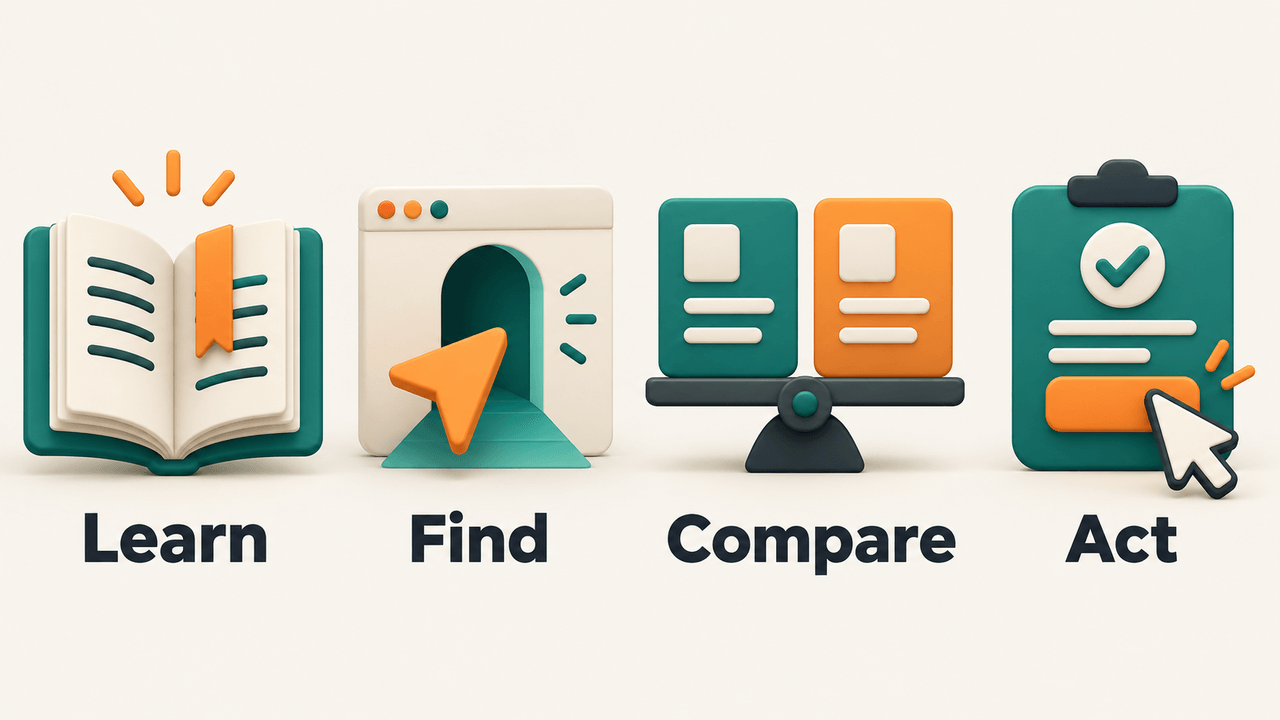
These four categories give you a useful starting vocabulary. They aren’t rigid boxes, and choosing a label doesn’t finish the research.
Informational: “Help me understand or learn something”
Someone searching for “how to start a blog” wants guidance. Depending on their experience, they may need instructions, an explanation, examples, or a quick answer.
Your job is to help them make progress. For a beginner tutorial, that could mean showing the order of the steps, explaining unfamiliar terms, and warning them about a decision that’s difficult to undo. A service pitch alone won’t teach them how to begin.
Navigational: “Take me to a particular destination”
Someone searching for “Blogger login” probably wants to reach a known service and sign in. They may have used search because it’s easier than remembering the address.
A general blogging article would add an unnecessary detour. When you’re planning content, recognize that some queries mostly help people reach somewhere they already have in mind. A branded phrase can still include a question, though: “Blogger login not working” suggests a troubleshooting need.
Commercial investigation: “Help me compare my options”
Queries such as “Blogger vs WordPress” or “best blogging platform for beginners” suggest research before a decision. That decision may involve money, time, or the effort of learning a new tool.
Help the reader compare meaningful differences. Explain who each option suits, what tradeoffs matter, and what your recommendation depends on. If “WordPress” could mean different setups in your comparison, define which one you’re discussing before presenting costs or features.
Transactional: “Help me take action”
Someone searching for “buy a domain name” may be ready to check availability and register one. Other actions could include booking an appointment, downloading a template, or subscribing to a service.
Make the action understandable and accessible, with the details needed to complete it. A purchase page may still need explanations about pricing, conditions, or suitability. Being ready to act doesn’t mean the reader has no questions left.
How to identify search intent before you write
You don’t need to guess an entire article from one keyword. Use the following process to turn a first impression into a reasoned content decision.
1. Write down the likely task
Finish this sentence: “Someone searching for this wants to…”
Name the audience and any important constraint as well as the task. “Choose a platform” gives less direction than “choose a first blogging platform that is affordable and easy to manage.” Keep this as a starting assumption until you have checked the evidence.
Treat words such as “how,” “best,” “versus,” and “buy” as clues. They help you start, but a modifier alone can’t tell you everything the reader expects.
2. Inspect several relevant results
Search in the language and market you want to serve. Open several relevant organic results, rather than relying on their titles alone. Start with five to ten if that gives you a useful range; the number itself isn’t an SEO rule.
Look at what each page actually provides. Does it teach a process, compare alternatives, show a product collection, or let someone complete a task? Distinguish advertisements from organic results as you make your notes.
Record the query, date, country, language, and device when documenting observations. Google explains that results can differ with time, place, device, and search history. Your screen is one sample of the experience.
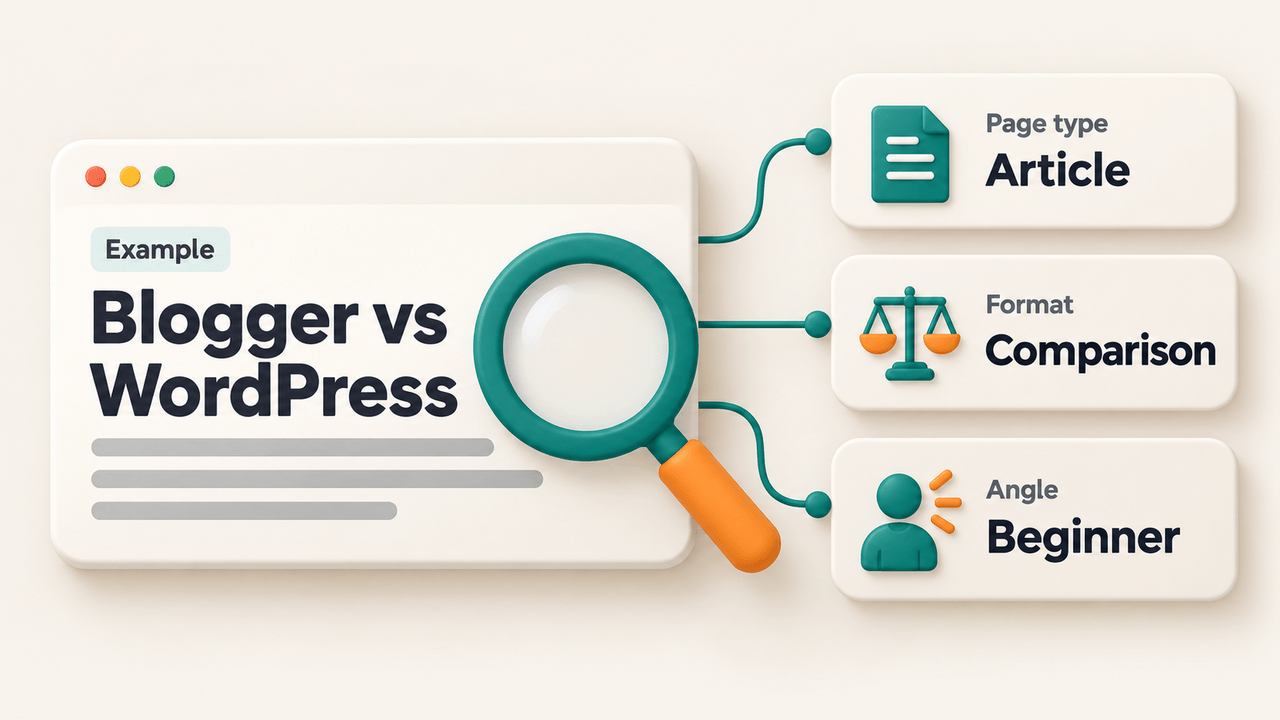
3. Separate page type, format, and angle
These three questions make the evidence easier to use:
| Question | What to look for | Illustrative example |
|---|---|---|
| What type of page helps? | Article, product, category, tool, service, or destination page | An editorial comparison |
| How is the answer presented? | Tutorial, comparison, list, review, video, or another format | Criteria followed by recommendations |
| Which audience or constraint shapes it? | Experience, budget, location, urgency, or another need | Someone choosing a first blogging setup |
“Comparison” describes the format here; “beginner” describes the angle. Keeping them separate helps you avoid deciding that every result with a familiar keyword is serving exactly the same person.
4. Look for the main need and the remaining questions
Repeated patterns can suggest a likely need. If several relevant results compare options, investigate what people need to compare and why. You still need a reason for your page to be useful: clearer evidence, practical experience, or guidance for an audience whose constraints receive little attention.
Questions, videos, shopping results, and other search features can suggest additional needs. They don’t prove that copying a particular format will make your page rank.
Check the evidence beyond search, too. Support questions, reader comments, and conversations with customers may reveal an obstacle competing pages overlook. Write down where each observation came from so your assumptions don’t gradually turn into supposed facts.
If the results point in different directions, keep the uncertainty visible. For example, “WordPress support” could mean official help documentation, a community discussion, or someone offering hands-on assistance. Open the pages and compare the tasks they serve. Then decide which of those people your website can help. A service business and an educational blog may reasonably choose different approaches, even after inspecting the same query.
5. Decide what your page will help someone finish
Before outlining, write a completion statement: “After reading this page, you should be able to choose between these options using your budget, confidence, and maintenance needs.”
Now each planned section has a job. If you can’t explain how it helps that reader decide, reconsider whether it belongs in the brief.
Turn search intent into a content brief
An illustrative brief for “Blogger vs WordPress” turns the goal of choosing a first platform into specific writing decisions:
| Brief element | Decision for this example |
|---|---|
| Reader | A beginner choosing a first blogging setup |
| Main goal | Choose a platform that fits their budget and the work they’re willing to manage |
| Page type and format | An article comparing the same criteria across both options |
| Working title | Blogger vs WordPress: Which Fits Your First Blog? |
| Opening | Acknowledge the choice, identify the setups being compared, and explain what the reader will be able to decide |
| Main sections | Setup and ongoing costs; ease of publishing; control and ownership; maintenance; recommendations for different needs |
| Evidence to gather | Current official documentation and clearly described hands-on observations |
| Next action | Follow the setup instructions for the option the reader chooses |
Notice how the sections follow the decision. You haven’t added every blogging topic you can think of. You’ve made room for the information someone needs before choosing.
Your opening might sound like this: “You’re ready to start writing, but you still need somewhere to publish. Let’s compare the costs, control, and day-to-day work so you can choose a setup you’re comfortable running.”
The opening names the decision immediately. SEO copywriting should carry that promise through the page: explain each tradeoff in familiar words and show how it affects the reader’s choice.
Use the same comparison criteria for both options. If you discuss ownership for one and only appearance for the other, the reader still has to do the comparison themselves. Where an answer depends on a plan or setup, state the condition and verify it before publishing.
Plan the recommendation as carefully as the comparison. Instead of declaring a universal winner, explain which choice fits a particular set of needs and what the reader gives up by choosing it. Someone prioritizing a simple start may accept a limitation that matters a lot to someone planning a more customized site. Your evidence should support that distinction.
When writing an SEO-friendly article, use the brief to review each section against the reader’s goal. Remove repeated background, check the evidence, and make sure the opening’s promise is fulfilled by the answer.
What if a query has mixed or changing intent?
A short query such as “WordPress” could come from someone trying to reach a website, understand the software, or choose a publishing setup. Even a more specific query may leave room for several needs.
Decide whether those needs belong to the same task. A beginner comparing platforms may also need a short explanation of hosting. That explanation can support the comparison on the same page. A full migration tutorial serves a different task and may deserve a separate guide.
You don’t have to answer every possible interpretation. Name your audience and purpose clearly, cover the supporting questions they need, and direct readers to other pages when their next task requires depth.
Intent can also appear to change as products, events, or audience familiarity change. If an established page starts attracting different queries, investigate the current results and reader questions again. A traffic drop alone doesn’t demonstrate that intent has shifted; there may be technical, competitive, or seasonal explanations.
How to fix a page that misses the reader’s intent
Suppose your existing comparison page is called “Everything About Blogging Platforms.” It opens with blogging history, describes each platform separately, and asks people to buy a course before helping them choose.
Use the brief to make four connected changes.
Clarify the promise. A descriptive title tag states what the page helps someone do. “Blogger vs WordPress: Which Fits Your First Blog?” makes the comparison and intended reader clear. The page still has to deliver that answer.
Make the opening recognize the task. Acknowledge that the reader is choosing, explain the scope, and get into the comparison. Move background material to the point where it answers an actual question.
Organize the answer around useful criteria. Put the same costs, control, and maintenance questions to both options. Then explain how different priorities lead to different choices. The main H1 heading should express the same purpose as the title and content.
Offer the next useful action. A reader who has chosen a platform may need setup instructions. Someone still unsure may need a deeper explanation of one tradeoff. Place each link where it helps and use descriptive anchor text so the reader knows what they’ll open.
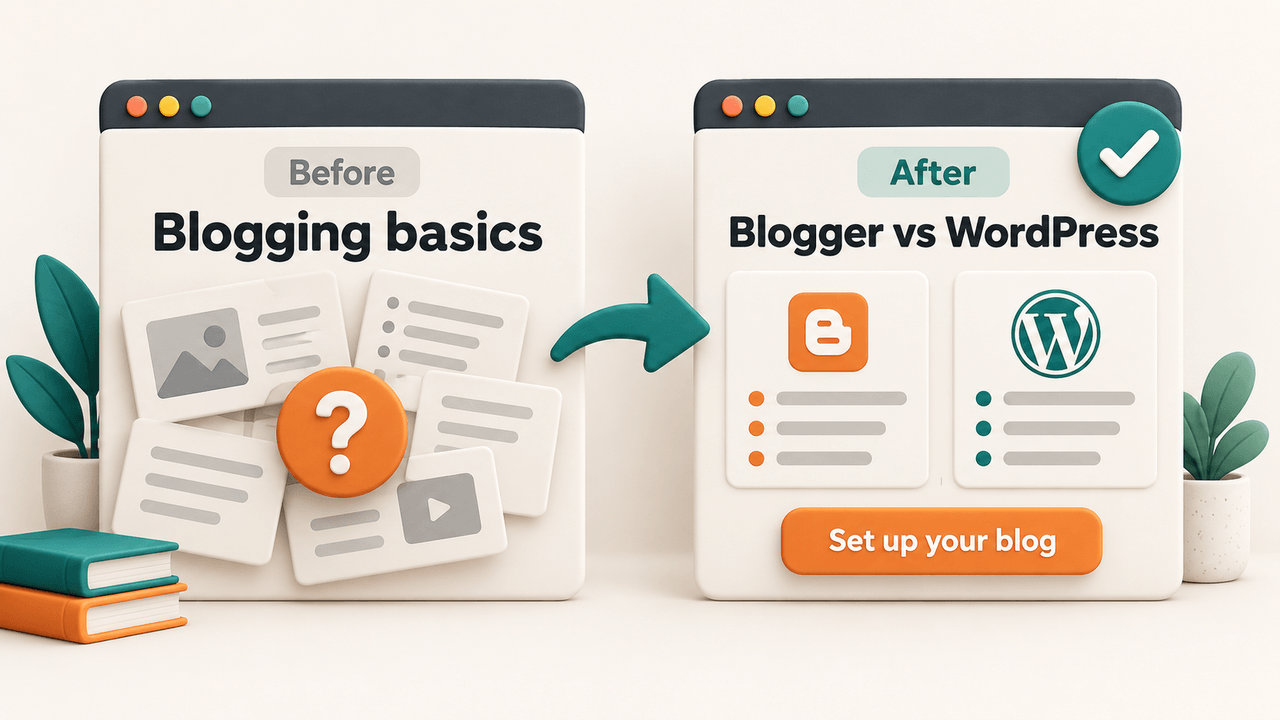
Read the revised page as someone arriving for the first time. Can you explain what it helps you do from the title and opening? Can you find the evidence needed to decide? Does the next action follow naturally from that decision?
That read-through often reveals a missing explanation more clearly than counting keyword mentions.
How to check whether your page is helping
Save the date and a short note describing what you changed. Give the page enough time to collect useful data, then compare equivalent periods while considering seasonal differences.
In Search Console, filter the Performance report to the page and review its queries, clicks, impressions, and CTR. Check whether the visible queries relate to the task you intended to serve. Google’s Performance report guide explains these metrics and the available dimensions.
Read those numbers together. More impressions with a lower CTR might reflect a broader mix of queries; a higher CTR doesn’t show whether visitors found a useful answer. Changes in position or search presentation can also affect clicks.
Where your existing analytics supports it, look at actions that fit the page’s purpose: opening setup guidance after a comparison, completing a form, or downloading the promised resource. Reader questions and feedback can help you spot unfinished tasks too.
If new queries seem unrelated, check whether a section is attracting people with a different goal. You may need a clearer explanation of scope, a useful link to another guide, or a separate page for a distinct task. More visibility is useful when you can serve the people it brings.
Treat improvement as evidence to investigate. Several things may have changed at once, so a rise in traffic doesn’t prove that your intent edits caused it. Use the findings to choose your next useful adjustment.
Frequently asked questions
Can one keyword have more than one search intent?
Yes. A broad phrase can represent several goals, and even a specific query may include supporting needs. Investigate the results and your audience, then decide which task your page will help someone complete. Add related explanations when they support that task.
Do I need a paid tool to identify search intent?
No. You can begin by inspecting results, reading the pages, and listening to your audience. Tools can help organize queries and suggest categories, but check their labels against the actual pages and the people you’re trying to help.
How is search intent different from semantic SEO?
Search intent focuses on the searcher’s goal. Semantic SEO is a broader content-planning approach involving meaning, related concepts, topic coverage, and connections between pages. Understanding the goal helps you make those wider decisions without losing the reader’s purpose.
Try it with one keyword
Choose one query you want to help someone with. Write down the likely task, examine several relevant results, and note where the evidence changes your first impression.
Then create a short brief: reader, goal, page type, title, essential sections, and next action.
Before you start writing, finish this sentence: “After reading my page, you should be able to…” If the answer is clear, you’ve given yourself a much more useful starting point than a keyword alone.
JOIN THE CONVERSATION
Comments
Have a question or something to add? Comments are moderated and appear here only after approval.
JavaScript is required to submit a comment. Published comments above remain available to read.
No approved comments yet. Be the first to join the conversation.